
A review of Dorico 6’s improvements to Condensing for doubling players
This article is an expanded, paraphrased and enriched transcription of the excellent video by Anthony Hughes. Go watch it, then come back for a recap, or follow along while watching.
Introduction
Dorico introduced the condensing feature back in version 3 but, until now, a big limitation remained: doubling players—that is, players holding more than one instrument—would not condense correctly. Dorico 6 finally bridges this gap. Let’s take a look.
Condensing for doubling players
In previous versions, doubling players would condense only with their top instrument, meaning that even if both Oboes would switch to English Horn, those staves would not condense, requiring time-consuming workarounds. Now this is fixed. To demonstrate this, I have created a simple project with six players, each one doubling. While this is unlikely to happen in the real world, the possible combinations are so many that we need to be prepared for the worst!
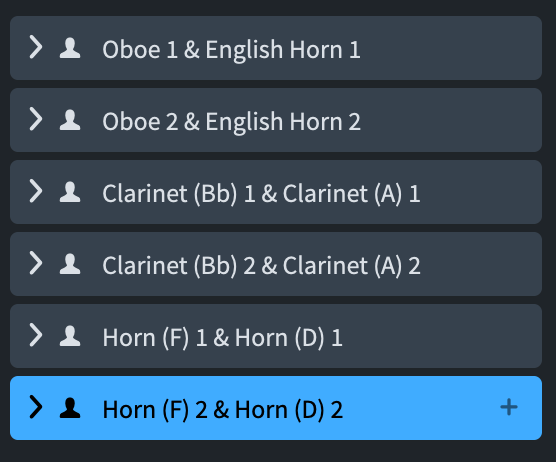
I have entered some pseudo-random music and then activated Condensing from the Edit menu.
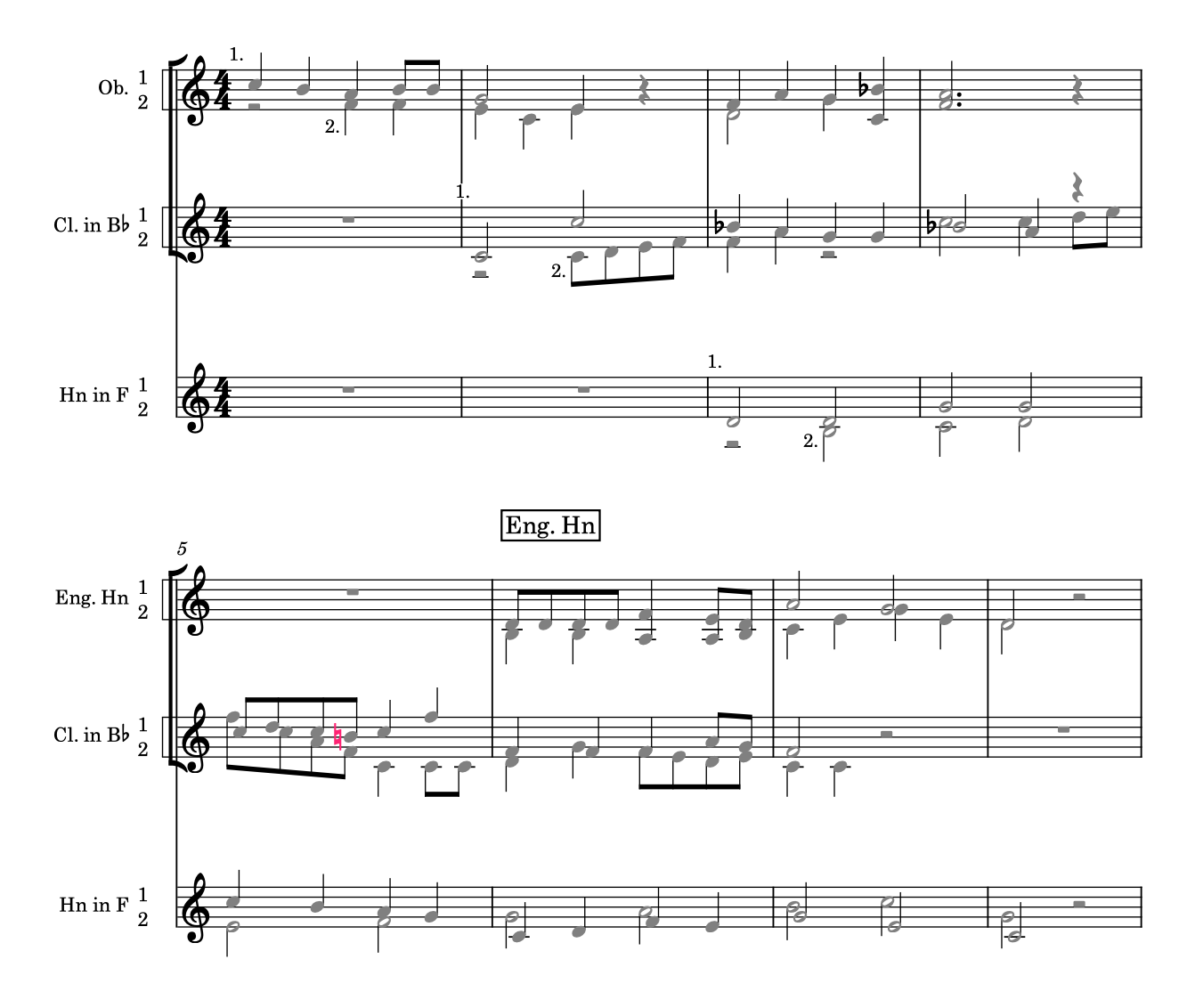
See how, now, the two English Horns condense. This may look like something that had to just work from the beginning but, using the words of a wise man, “if it looks easy, it’s because it’s not easy at all!”.
As expected, the instrumental parts remain unaffected, while any score layout with condensing enabled will try to apply the new behaviour. One of the great novelties is that, if appropriate, this condensing change will happen in the middle of a system.

If something is not working as expected, be sure to check the Condensing page in Notation Options.
Layout Options (for existing projects)
This new behaviour is turned ON in all new project, while it is kept OFF in existing projects to avoid negatively affecting your work. Should you want to try this out, go to Layout Options ▶︎ Players ▶︎ Condensing and check this option:

There is also a new option in the Instrument Changes section of the same page called Show only the change of transposition when instruments match. This means that, when activated, if a player changes instrument other than a similar instrument with a different transposition—say, Clarinet in B-flat to Clarinet in A—the instrument change label will read simply “in A” or “in Bb”, without the need to specify “Clarinet”.

What if it’s not condensing?
The most likely cause for players not condensing is as simple as uncomfortable to accept: user error. Perhaps the part has not been written on the correct stave, or there is an articulation or slur discrepancy. To be able to condense doubling players, it is necessary that all players change instrument at the same time.
If everything is looking correct, and it is still not condensing, please check the Players page in Layout Options where it covers Instrument Changes. In particular, look for the instrument transition position.

According to this option, Dorico may be interpreting a certain staff as still belonging to another player even if there is no music on it.
iPad Check
Sadly, nothing of this will work on iPad because Condensing is not available in that version of Dorico. Let’s hope this changes over time, since the iPad is now plenty powerful to drive the full version of Dorico and external displays!
Bottom Line
That’s it for today!
If you enjoyed this post, please leave it a like, subscribe to get notified of upcoming articles, and don’t forget to do the same for Anthony’s video and for the Dorico YouTube channel.
Should you be interested in my other activities, please visit my website and consider joining my mailing list, where you will be able to follow my journey through music notation and independent music publishing.
Thank you for your time, and see you here in the next episode.
 Music Preparation Services