
A review of Dorico 6’s improvements to playback
This article is an expanded, paraphrased and enriched transcription of the excellent video by Anthony Hughes. Go watch it, then come back for a recap, or follow along while watching.
Introduction
Dorico is, among all music notation software, possibly the one that most focuses on playback, and has done so from its earliest wails. Even when it seems not to be doing so, the fact that every single feature in Dorico is semantic—that is, it must have a musical meaning—results in their having a specific effect over sound output. A possible downside of this is that, on the same machine, Dorico will feel less snappy than its competitors when a score becomes large enough.
Dorico 6 brings a list of new features, mainly:
- Cycle playback
- Marching Percussion Basics
- Humanise note end positions
- Tenuto articulation improvements
- Navigation between flows
Cycle playback
This is a massive new feature, and it was covered in depth in this article. Refer to that one for every further detail.
Marching Percussion Basics
Thanks to a partnership with Tapspace, developer of the well-known Virtual Drumline sound library, Dorico 6 now includes a new set of sounds for marching percussion. Specifically, there are four patches in the Marching Percussion Basics library: marching basses, tenors, snares, and cymbals. Each patch has a few articulations included, making it an excellent jump start into this fascinating world.
Humanise Note End Positions
Dorico’s Play mode, and from v4 its Key editor, has always made it possible to edit the playback positions and duration of notes without altering their written notation.

The automatic humanisation effects performed by Dorico include a randomisation of the start position of notes by tiny amounts able to mimic a natural, human-like playback. There is now a new option, found in Playback Options ▶︎ Timing ▶︎ Note Positions:
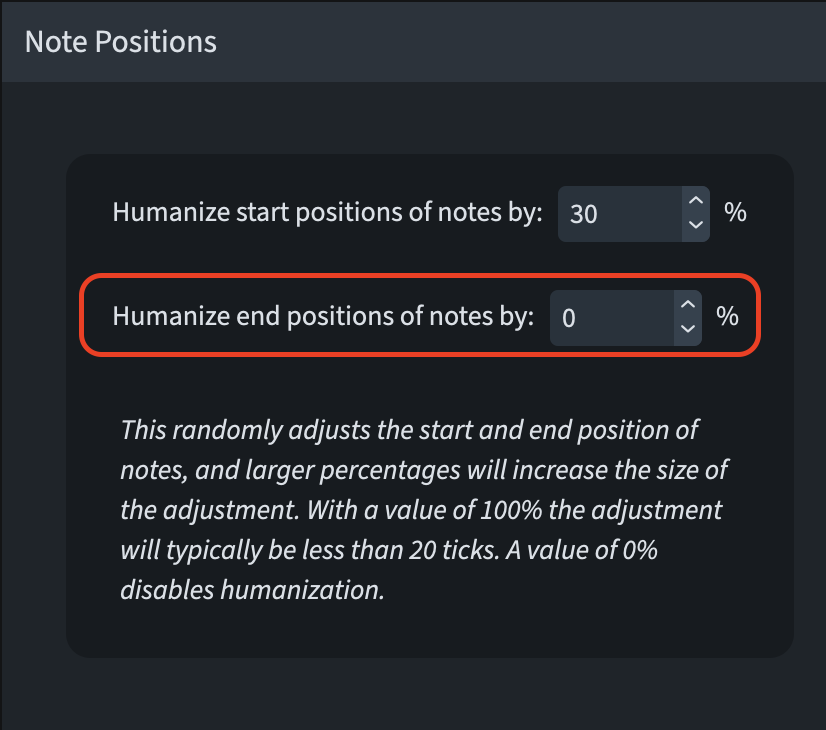
It is not totally clear to me what a “tick” is. I guess this is a good starting point.
Tenuto articulations improvements
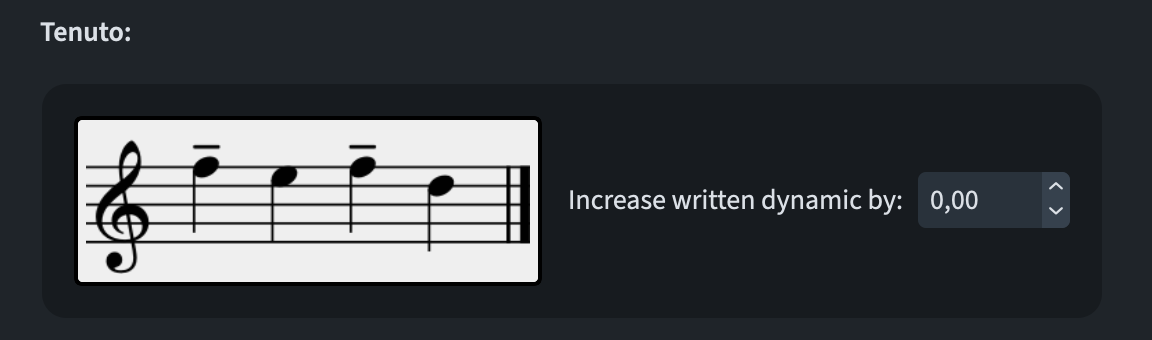
So far, tenuto articulations (the dashes above/below noteheads) have been used to slightly extend the played duration of notes. In some music, though, one may want to increase the dynamic, instead of the duration—or why not both? This can now be achieved by going to Playback Options ▶︎ Dynamics ▶︎ Tenuto (scroll down to the bottom):
Navigation between flows
When navigating through flows in Dorico 6 by using command such as the “Go To Flow” command in the Jump bar, the playhead will now also move to the start of the flow so that, upon pressing P or the Spacebar, playback will immediately start from the correct position.
iPad check
Every new feature described here is available in Dorico for iPad as well. Great job!
Bottom Line
That’s it for today and, in theory, we are done with the new features introduced by Dorico 6. There is so much more to talk about, though: I certainly want to dedicate one article to the Other improvements section of the Version History. After that, I will document the most important issues solved by v6. And then, it will be the time for the “smaller” updates to this version. I will both create a separate article and update the single feature articles so that everything remains easily accessible.
If you enjoyed this post, please leave it a like, subscribe to get notified of upcoming articles, and don’t forget to do the same for Anthony’s video and for the Dorico YouTube channel.
Should you be interested in my other activities, please visit my website and consider joining my mailing list, where you will be able to follow my journey through music notation and independent music publishing.
Thank you for your time, and see you here in the next episode.
 Music Preparation Services
One thought on “Listen up!”