
A review of the improvements brought by Dorico 6.0.10
This article covers the improvements introduced by the first patch update to the Dorico 6 cycle, released and announced on May 28, 2025. I will take care of updating existing articles in the broader Dorico 6 series to make sure nothing gets abandoned alongside our path.
Arpeggio signs
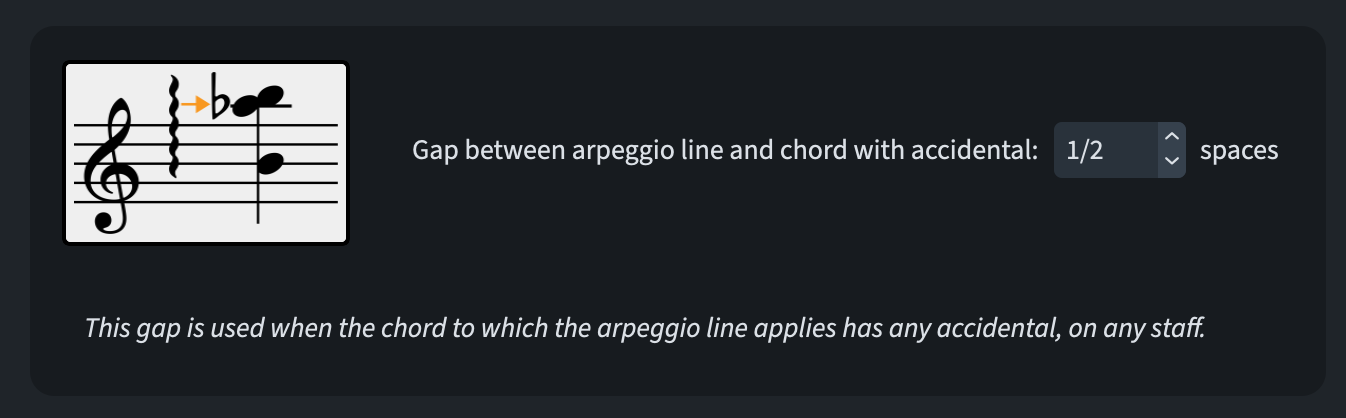
An apparently small but significant improvement is the addition of a new option to manage the position of arpeggio signs relative to accidentals in chords. This is available in Engraving Options ▶︎ Arpeggio Signs ▶︎ Gaps:
Barlines
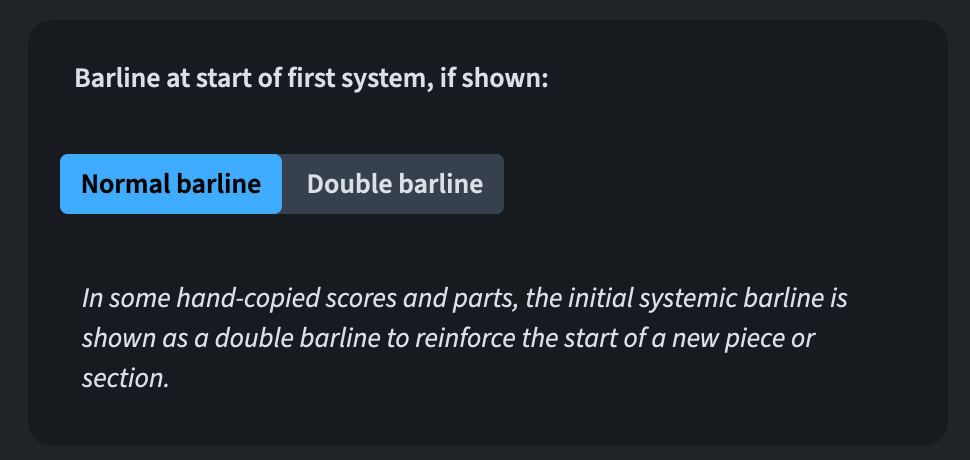
It is now possible to specify what kind of barline to show at the start of the first system of a flow, allowing double barlines to be chosen. This is accessible through Notation Options ▶︎ Barlines:
Chord diagrams
While I am not knowledgeable enough on this topic because of how little I use this feature, I will nevertheless try to explain the important update brought by this version.
Previously, Dorico would attempt to automatically fill in the fingering numbers for chord diagrams during the editing process of a chord diagram. As of 6.0.10, this is no longer the case. Right now, clicking a dot will only produce a barre if there are other dots on the same fret with the same assigned (or no) fingering, and that aren’t separated by a fingered note between them on a lower fret, or an open string1. It is therefore now possible to create more than one barre on the same fret if they both have different finger numbers, or to combine barres and adjacent single fingerings along the same fret. Of course, this means that invalid fingerings will no longer be prevented.
Filters
A new filter to quickly select items that have seen their playback suppressed is now available through Edit ▶︎ Filter ▶︎ Suppressed Playback.
Fingering
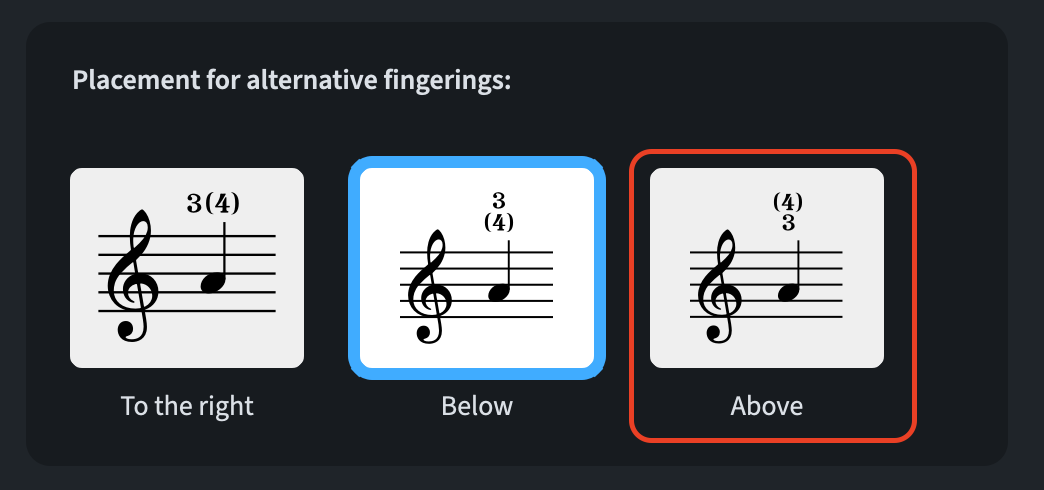
A new setting, Above, has been added to the Placement for alternative fingerings option in Engraving Options ▶︎ Fingerings.
MIDI import
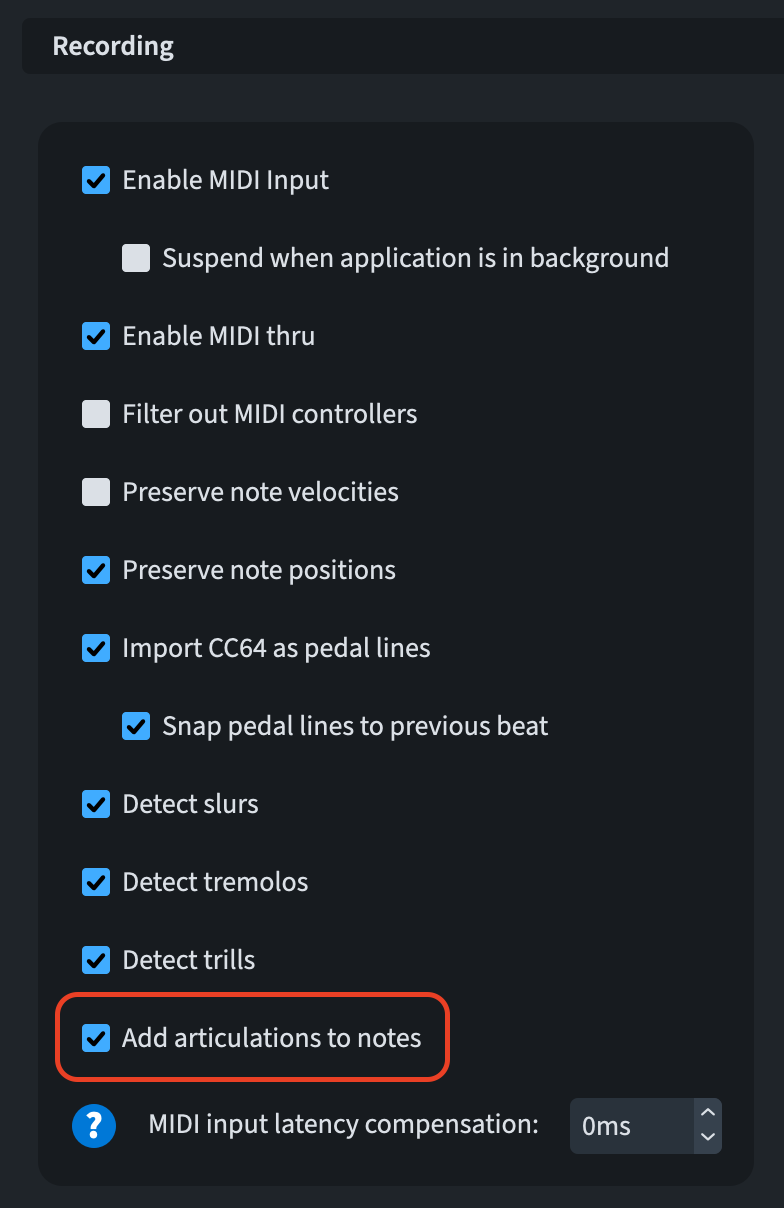
A preference to Add articulations to notes has been added to Preferences ▶︎ Play, in the Recording section, and to the MIDI Import Options dialogue.
MusicXML import/export
When importing, Dorico will now do its best to assign chord symbols with different vertical positions relative to the staff but same rhythmic position to multiple rows.
When exporting, if the Arranger field in File ▶︎ Project Info is filled out, it will be possible to find this information in the <creator> element of the exported MusicXML file.
Note Input
Holding Shift and double-clicking on a note in a score will cause all following notes of the same pitch and belonging to the same voice to become selected up to the end of the current flow.
Octave lines
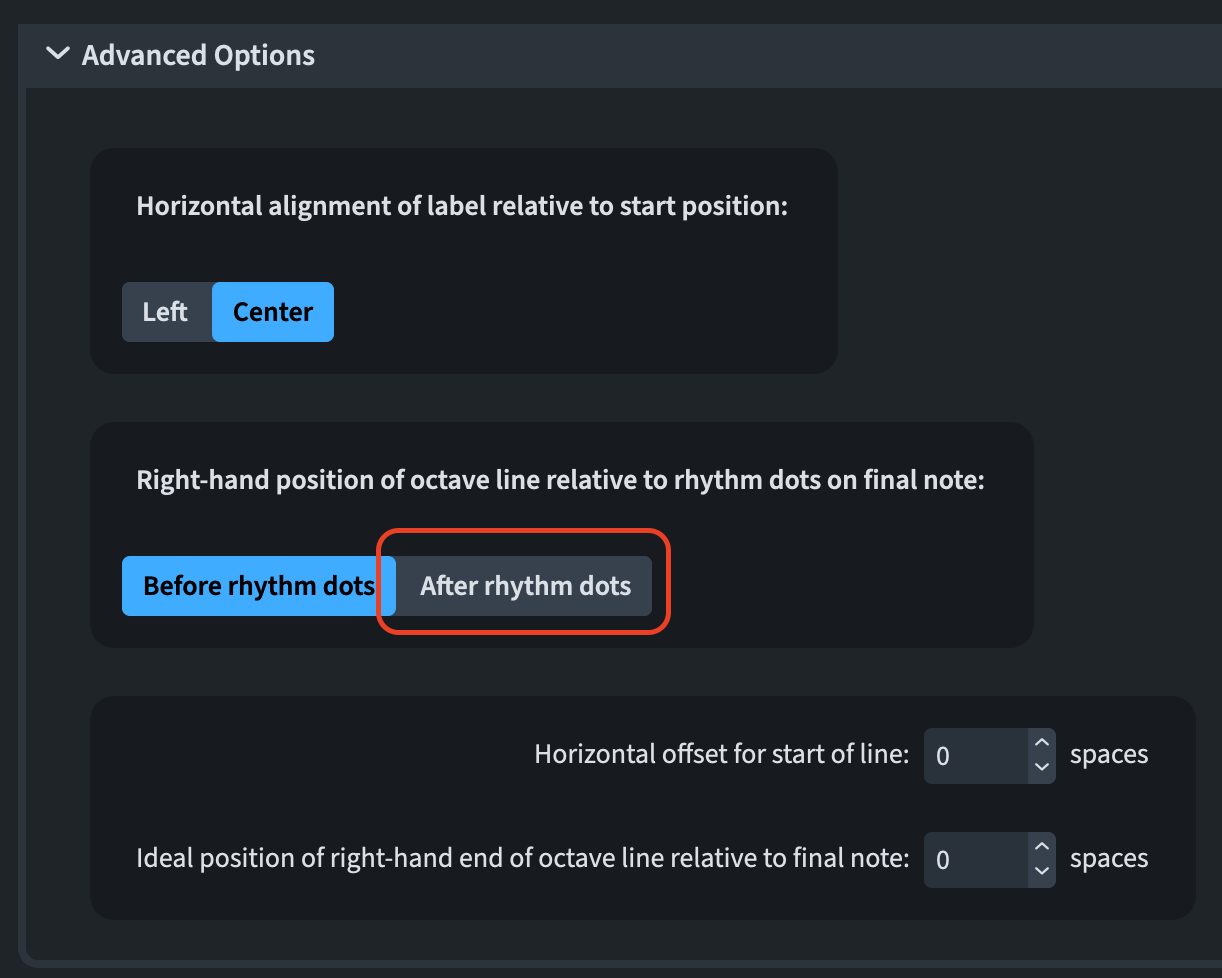
Several publishing house styles request that the right-hand position of an octave line includes the rhythmic dot, if present. Previously, this required manual intervention. In 6.0.10, a new option—active by default in new projects—has been added to Engraving Options ▶︎ Octave Lines ▶︎ Horizontal Position in the Advanced Options section:
Pedal lines
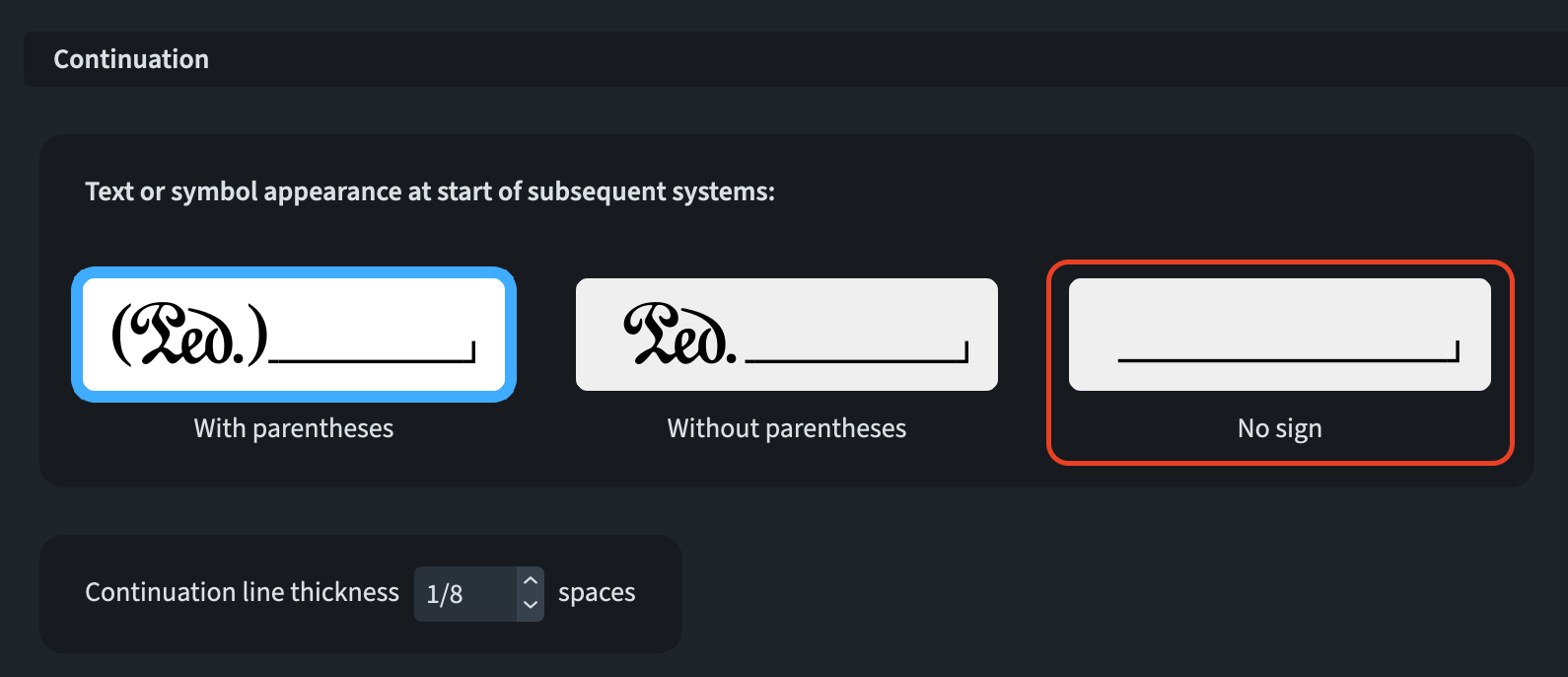
It is (finally) possible to specify that a pedal line spanning multiple systems will not show a sign at the beginning of subsequent systems. To activate that, go to Engraving Options ▶︎ Pedal Lines ▶︎ Design and set the Text or symbol appearance at start of subsequent systems option to No sign.
Playback
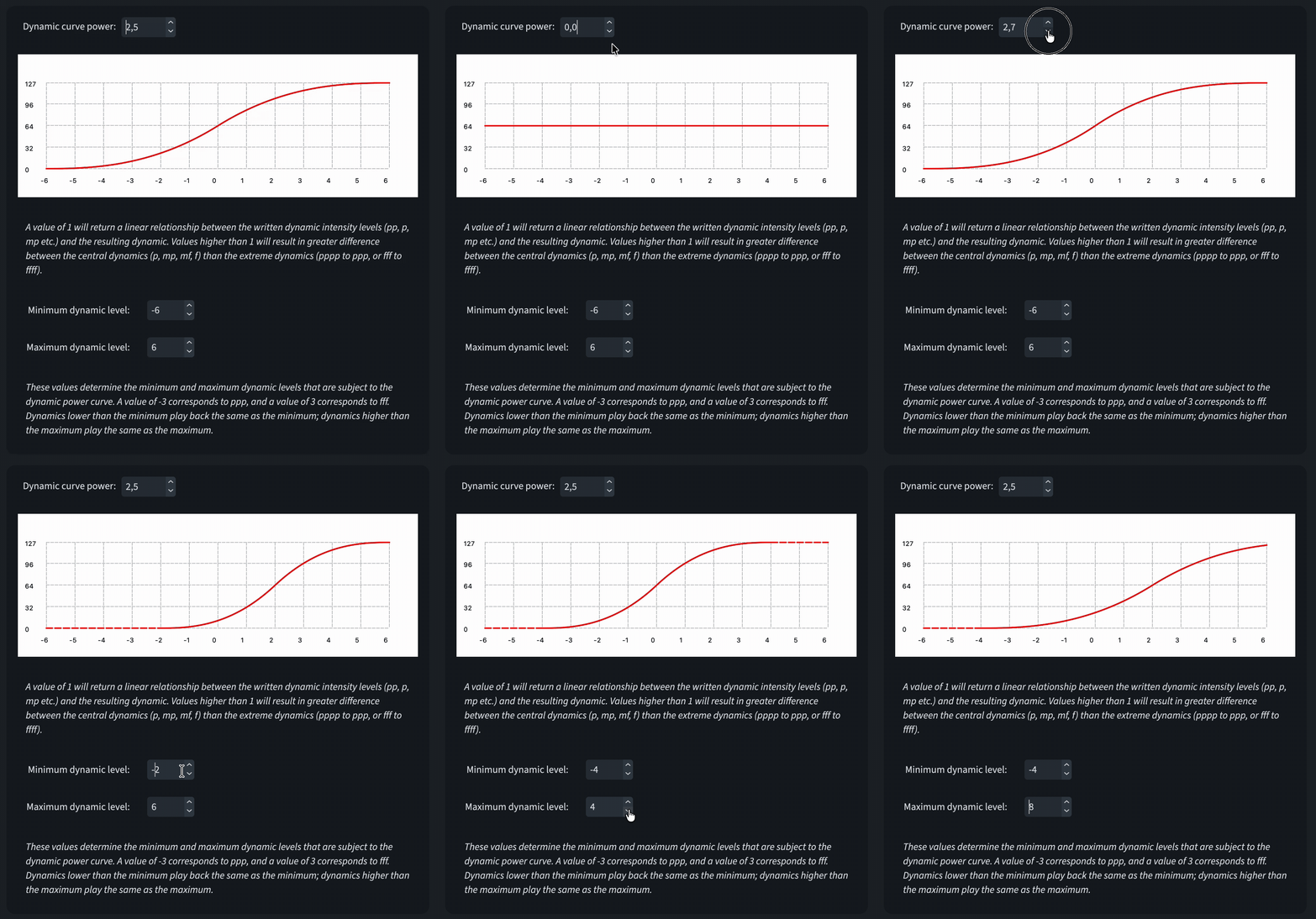
The Dynamic curve power setting in Library ▶︎ Playback Options ▶︎ Dynamics has been upgraded to show the actual value for each dynamic level. Previously it was only a static image. Additionally, if one used to set the minimum and maximum dynamic level values asymmetrically, there could be a discontinuity around level 0. This has now been fixed, and the calculation behaves correctly.
Proofreading
This massive new feature got a good round of polishing in this update.
Playing techniques
Dorico now identifies text events that specify music written on a single staff for a section player intended to be played divisi. This update eliminates warnings about duplicate playing techniques when they are applied to individual desks or subdivisions.
Damp Techniques
Dorico no longer flags warnings for damp techniques that coincide with rests, as this is a standard notation practice, particularly for instruments like the harp.
Ossias
Dorico now avoids generating warnings for duplicate playing techniques when they are present in ossia staves.
Instrument Changes
Dorico no longer issues warnings about material written for marching percussion kits being unplayable by a single player, recognising that these kits are typically performed by multiple musicians.
Rulers and grid
It is now possible to double-click the label showing the unit currently used for rulers to cycle through the other available types. Additionally, the precision of the labels denoting the cursor’s position has been increased.
User interface
Status bar
The status bar’s information read-out has been redesigned to occupy less horizontal space, ensuring it does not require the project window to expand when updated. Additionally, the project window can now be resized to a narrower width than previously allowed, and hovering over the read-out will display its full text in a tooltip.
Key Commands
You can now assign key commands to the commands in the View ▶ Pages submenu directly from the Key Commands page in Preferences.
Text Editor in Dialogs
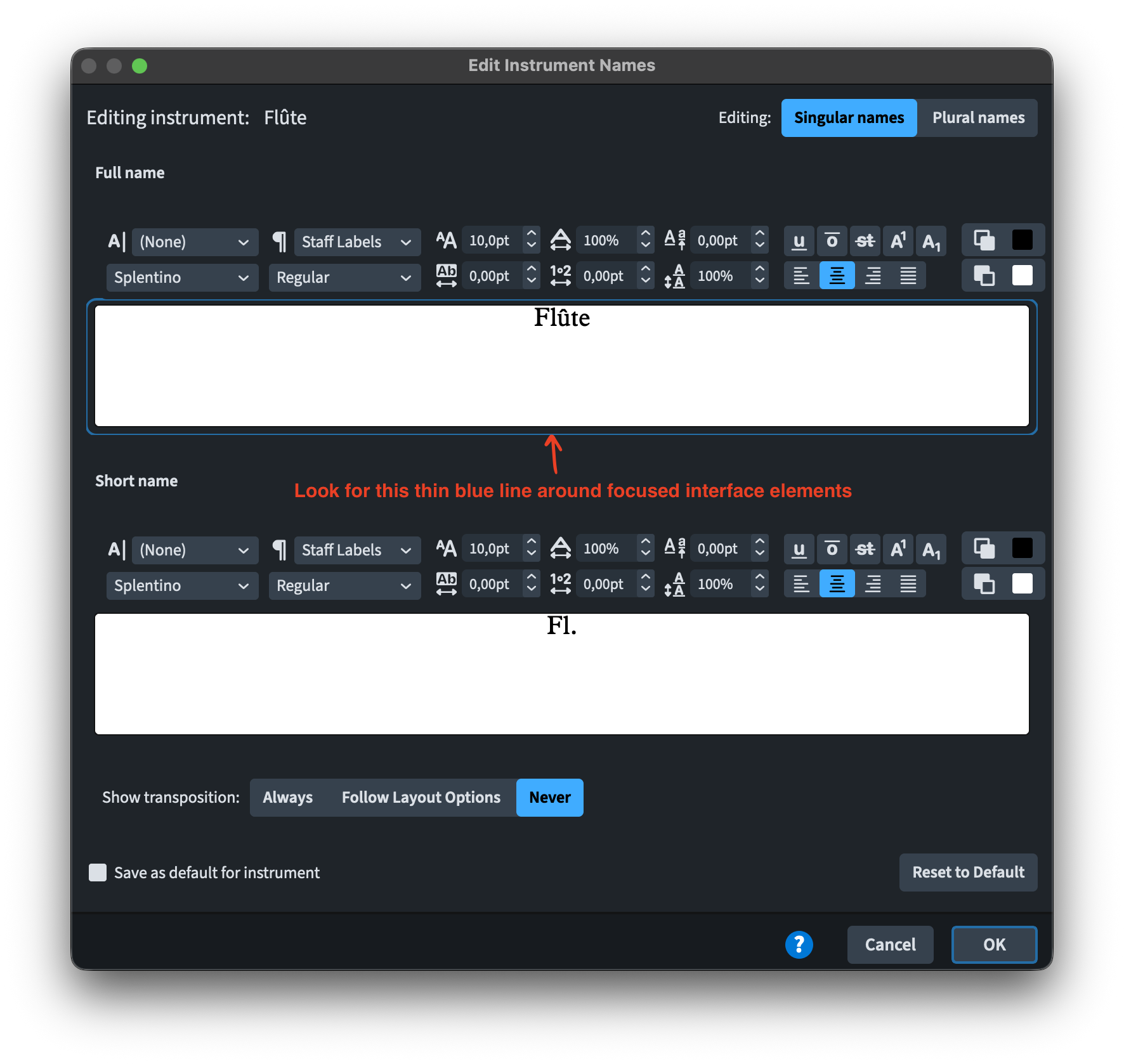
Text editor controls in dialogs such as Edit Instrument Names, Edit Single Lyric, and Change Divisi now display a focus ring when the keyboard focus is active, making it clear when you can type into the editor. Additionally, in the Edit Instrument Names and Edit Single Lyrics dialogs, the text is automatically selected upon gaining focus, simplifying the process of replacing it.
Bottom line
That’s it for today! Come back soon for the review of what introduced in the next point release: 6.0.20 (and 6.0.22)!
If you enjoyed this post, please leave a like, subscribe to get notified of upcoming articles, and don’t forget to do the same for Anthony’s video and for the Dorico YouTube channel.
Should you be interested in my other activities, please visit my website and consider joining my mailing list, where you will be able to follow my journey through music notation and independent music publishing.
Thank you for your time, and see you here in the next episode.
- From Dorico_6.1.10_Version_History.pdf,_ page 35 ↩

