
A review of the improvements brought by the Dorico 6.2.x cycle.
This series of articles covers the improvements introduced by the sixth to tenth patch updates to the Dorico 6 cycle, 6.2, 6.2.10, 6.2.20, 6.2.30, announced and released respectively on 10 March, 31 March, 30 April, 3 June 2026. I will take care of updating existing articles in the broader Dorico 6 series to make sure nothing gets abandoned alongside our path.
For a general overview of the novelties introduced by version 6.2, check the official video by Anthony Hugues:
PART 1 — Major new features
Repeats
Whenever there is a repeated section, the destination of the jump could be in a different key, or use a different clef, or even another time signature. With version 6.2, Dorico introduces the possibility to display cautionary and restorative clefs, key signatures, and time signatures at repeat barlines, repeat endings, and repeat jumps.
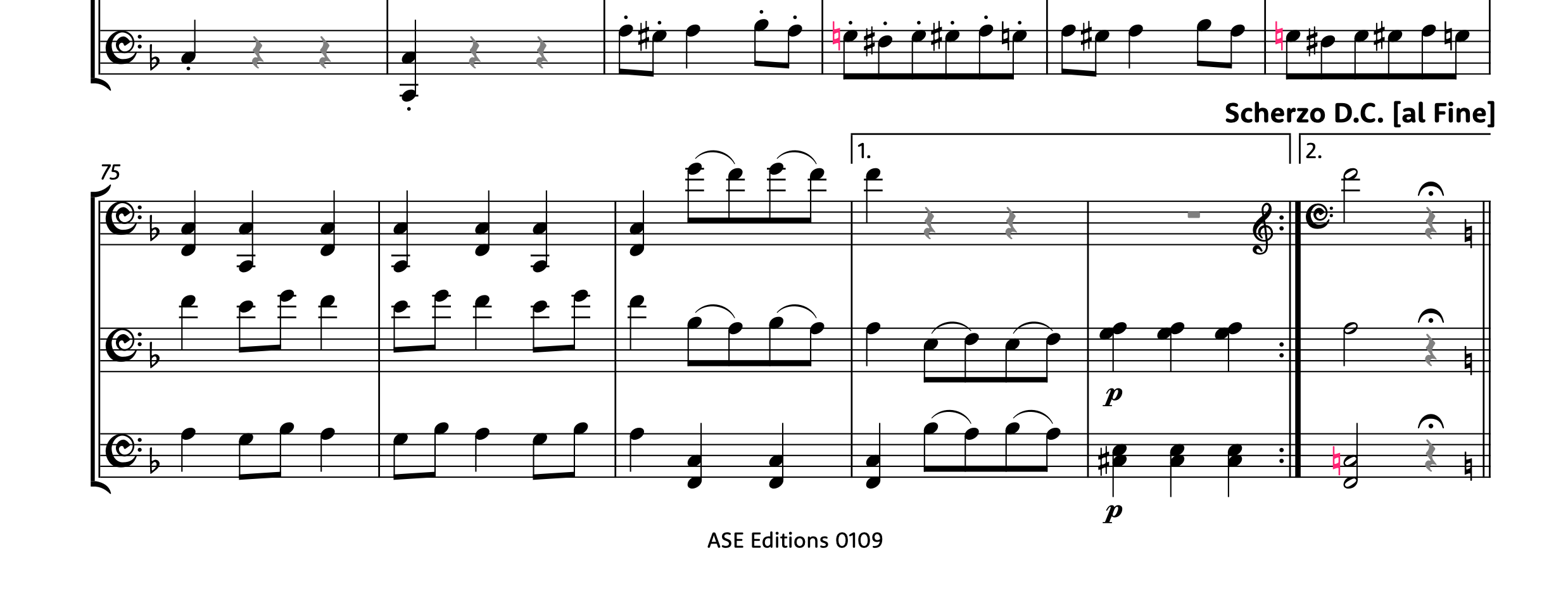
In this example, taken from one of my most recent editions, the Six Pieces for three cellos, Op. 104, by J. J. F. Dotzauer, the third piece is a Scherzo, followed by a Trio, and crowned by the return of the Scherzo at the end. In the first ending of the second part of the Trio, the first cello plays in bass clef, but the destination of the jump back is in treble clef, which is now shown here. Immediately afterwards, in the second ending, one needs a reminder that the bass clef is still being active. At the end of the piece, a natural cautionary key signature is shown because the Scherzo is no longer in F major, rather in C major.
This is a greatly helpful feature, with just a single drawback for my personal use case: not even in Engrave mode it is possible to shift the horizontal position of these cautionary elements. Hopefully, we will be blessed in a future version.
New projects have these feature active while, for existing projects, one needs to set the new Clefs and key signatures in repeat structures option on the new Repeats page of Notation Options to Track.
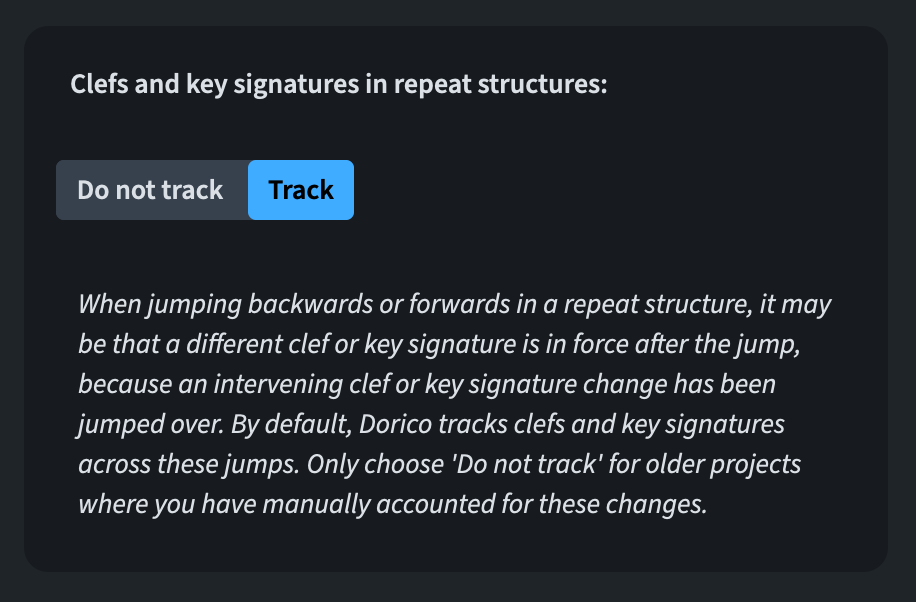
As a notation option, this is flow-specific.
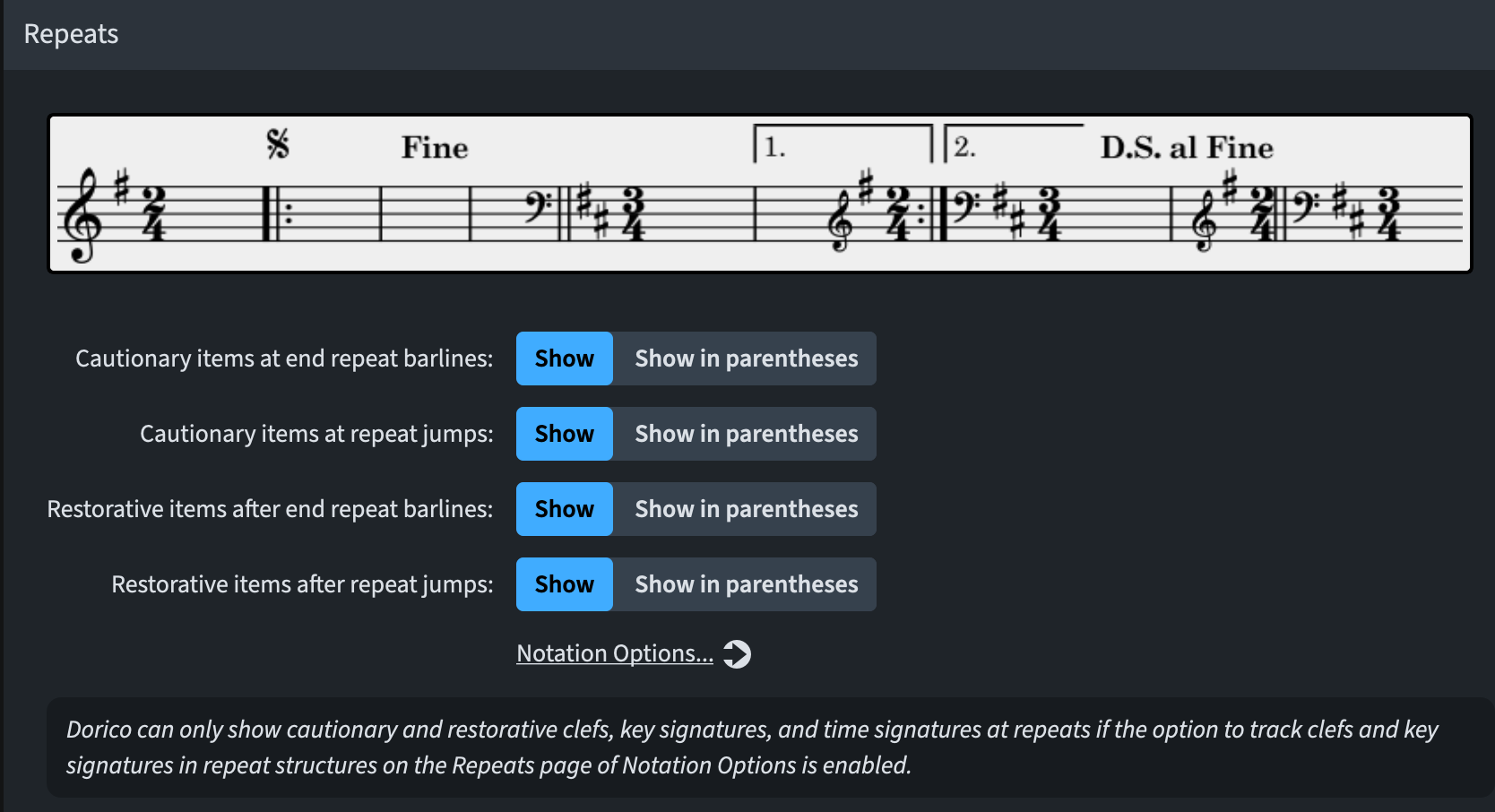
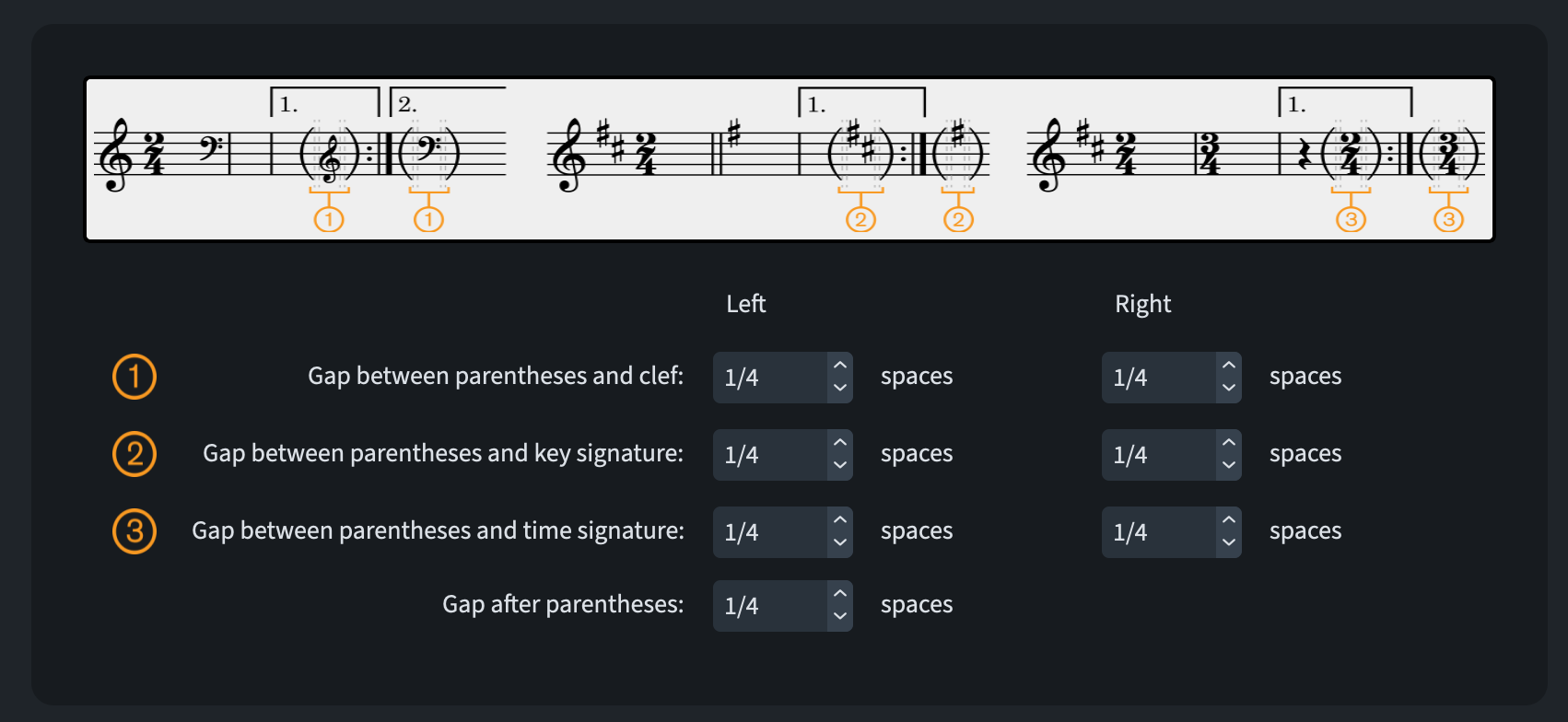
If you prefer restorative items at repeats shown in parentheses, the relative options are found on the new Repeats page of Layout Options:
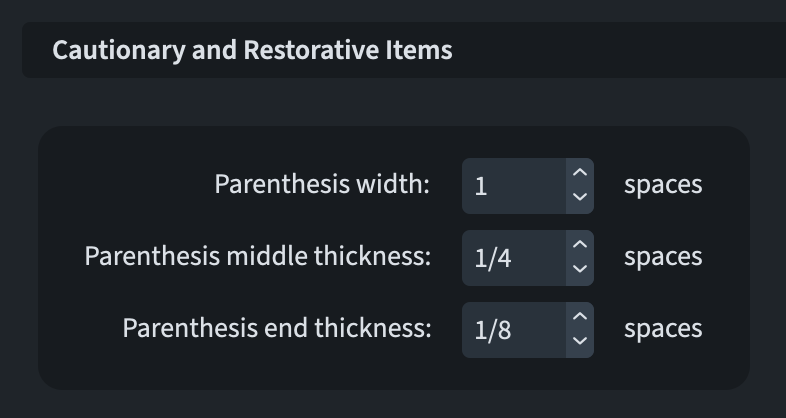
Tuning of the finest design details for the parentheses are instead accessible from Engraving Options ▶︎ Barlines ▶︎ Repeats, while gaps managements options around and inside these parentheses are found in Engraving Options ▶︎ Spacing Gaps.
Guitar tablature
Guitar techniques like bends, tapping, vibrato bar dips and harmonics are notated quite differently in tablature. There are mainly three widely used conventions: the US-based Hal Leonard publications and Guitar World magazine represent two styles while Guitar Techniques and Guitarist magazine (EU-based) represent another. This latter style is also used in the popular Trinity/Rock School guitar syllabus so it’s becoming more common and understood among players.
Dorico 6.2 introduces several new features to support the essential characteristics of the European style. Let’s look at them in detail.
Bends
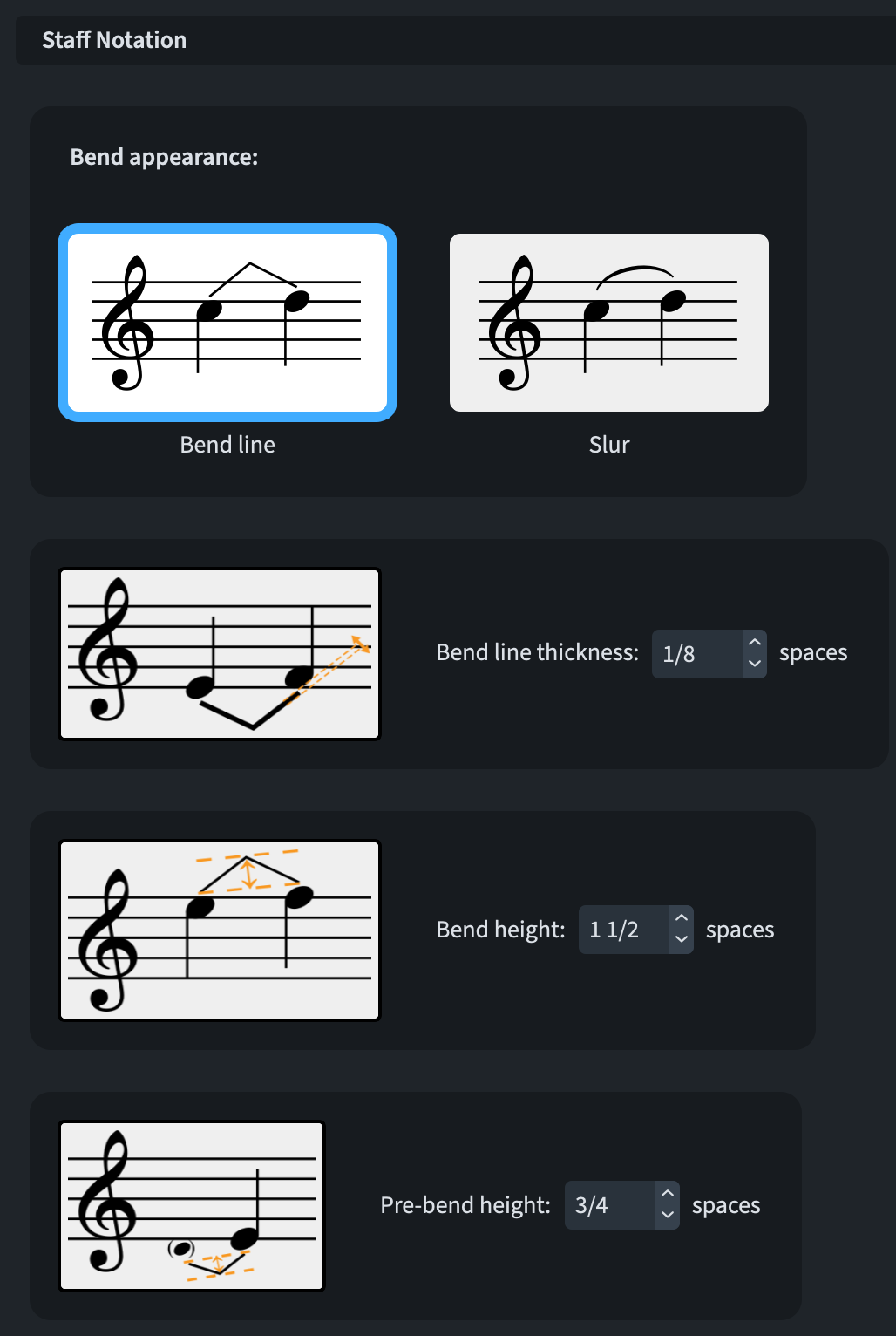
The Guitar Bends page of Engraving Options contain a new Bend appearance option nested in the Staff Notation section. This allows you to specify whether guitar bends should be drawn in staff notation using slurs rather than angled lines (which was the only option before).
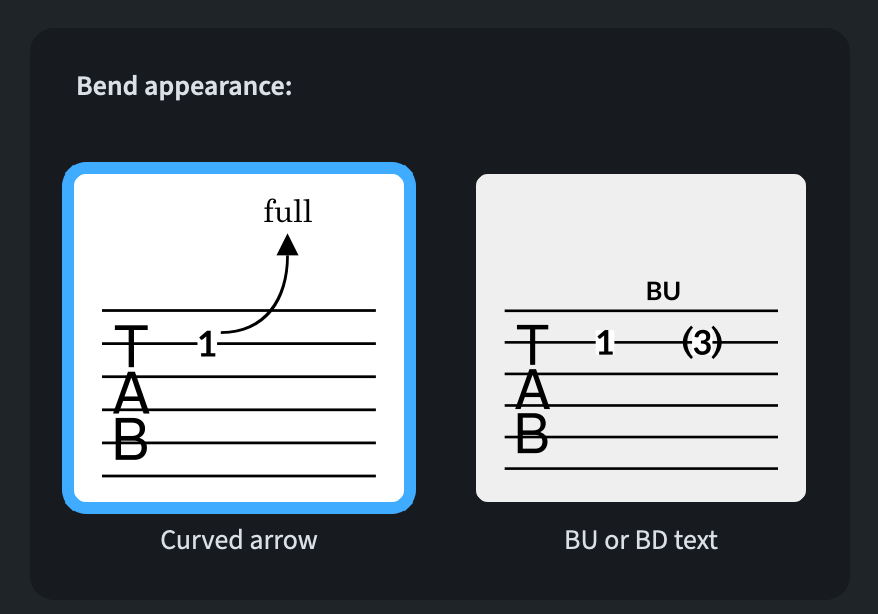
Consequently, a Bend appearance option has been added to the Tablature section. Choices now include a curved arrow or the bent-to note in parentheses. The bend direction can be specified above the tablature via either BU (bend-up) or BD (bend-down).
Their position is vertically aligned to fret numbers, so they can appear between strings. Horizontally, instead, they are centred between the bent-from and bent-to fret numbers.
Specific positioning options for pre-bends (PB) markings are found in Engraving Options ▶︎ Guitar Bends ▶︎ Position.
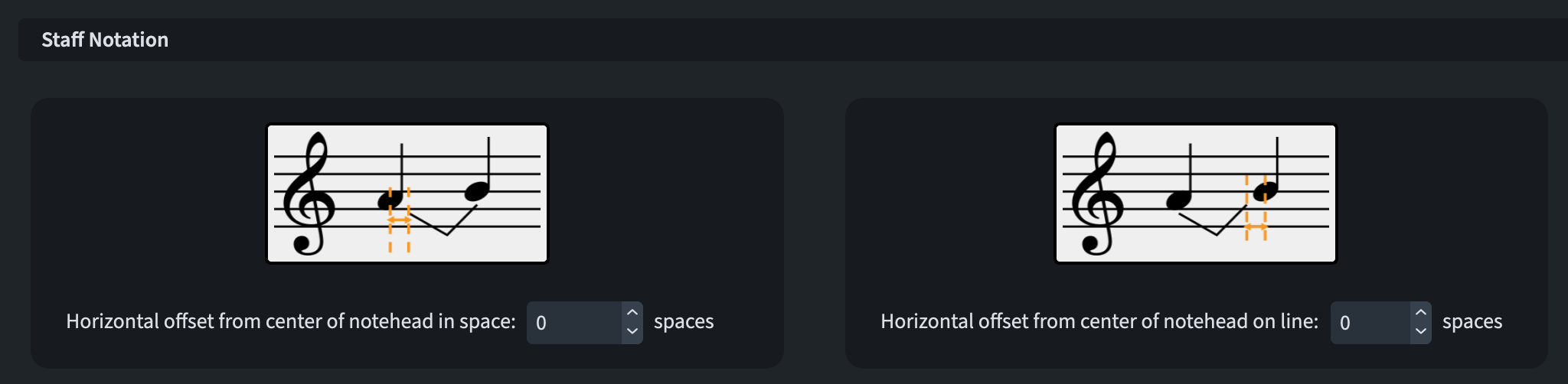
Finally, it is possible to edit the position of guitar bends both in staff notation and tablature using the usual keyboard shortcuts (e.g., Option/Alt-←/→).
Harmonics
The need to support the appearance of natural and pinch harmonics whose fret numbers are enclosed in diamond and triangle shapes spearheaded the introduction of new options in Engraving Options ▶︎ Harmonics. To activate this new feature, set Natural harmonic noteheads in tablature to Diamond enclosure and Pinch harmonic noteheads in tablature to Triangular enclosure.
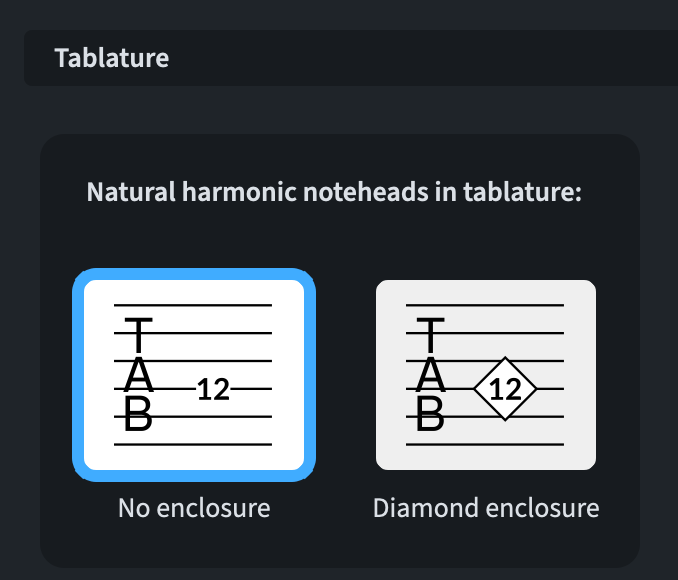
It is also customary to show NH (natural harmonic) or AH (artificial harmonic) above the tablature when using these enclosures. To add these automatically, seek these dedicated options in the Tablature section of the Harmonics page of Engraving Options.
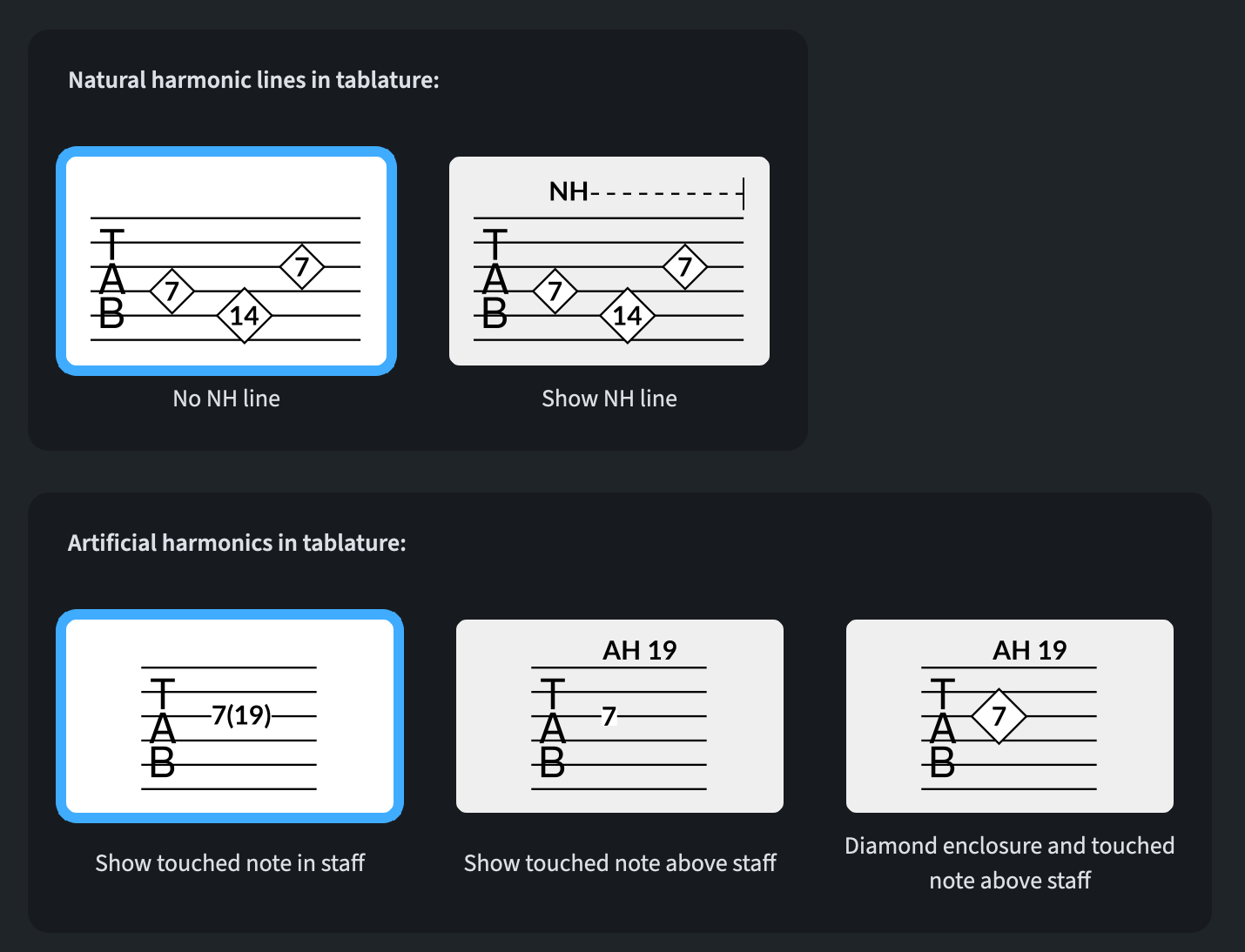
Natural and pinch harmonics (6.2.10)
A trio of improvements has been made to the default position of the NH and PH lines appearing above the top string of the tablature:
- When a harmonic run ends at a barline, the right-hand end of the line no longer crosses such barline;
- A new option to determine the default position of the harmonic line has been added to Engraving Options ▶︎ Harmonics ▶︎ Default distance of natural and pinch harmonic lines from tablature (see picture below);
- NH and PH lines are now fully adjustable in Engrave mode, either with the cursor or with the keyboard.

Artificial harmonics on tablature (6.2.10)
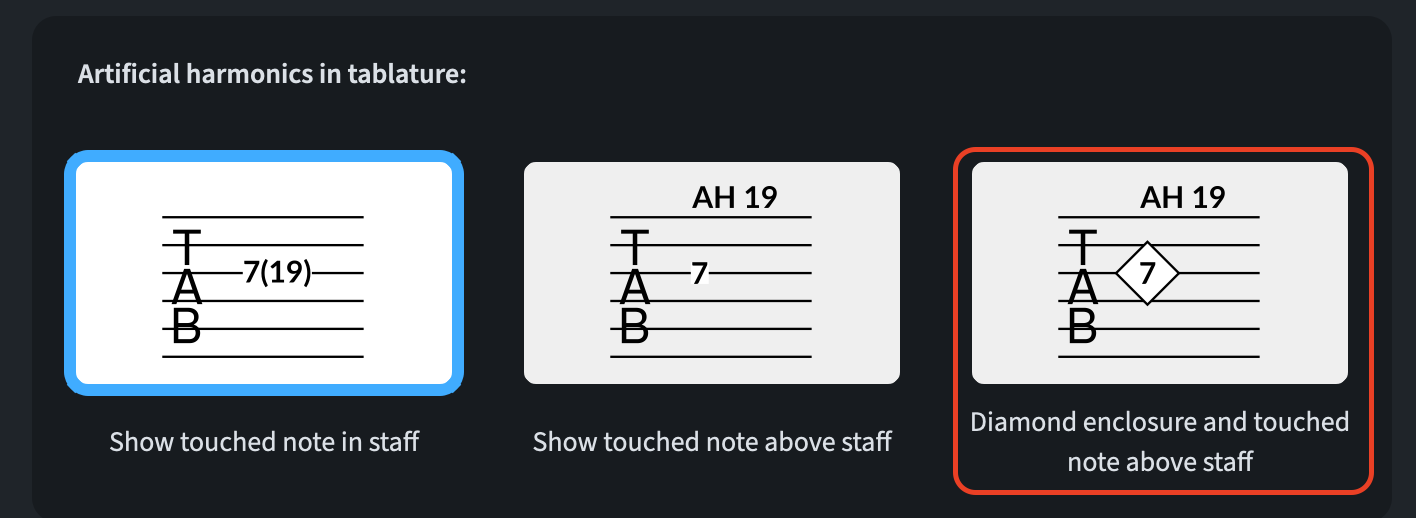
To enrich compliance with the European style of tablature popularised by the Guitarist magazine, a new option has been added to Engraving Options ▶︎ Harmonics. The Artificial harmonics on tablature option now offers a new choice (Diamond enclosure and touched note above staff) which draws a diamond enclosure around the stopped fret and shows the touched pitch above the top string of the tablature (as a string player this is so confusing because our notation is the other way around!)
Re-pick indications
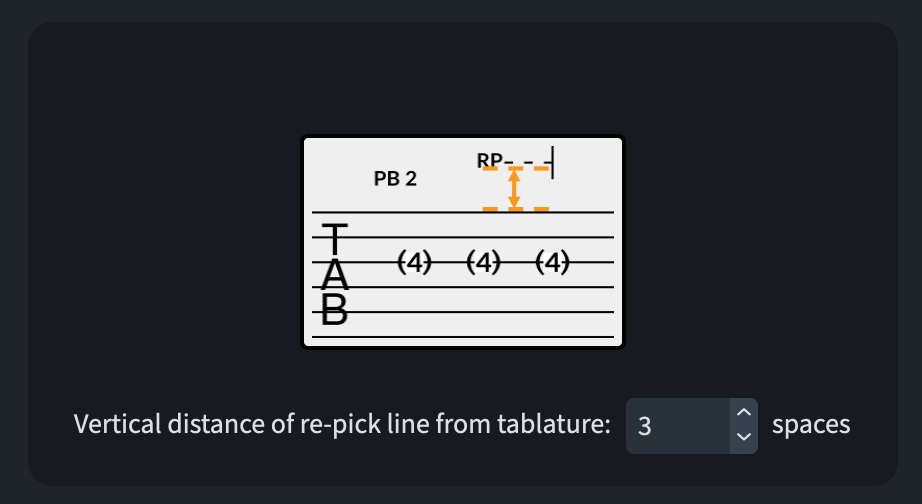
According to European conventions, re-picking a bent note is notated with RP followed by a dashed line. When Bend appearance is set to BU or BD text, Dorico now supports this standard.
In 6.2.10, an improvement was applied to the RP line, allowing it to be nudged and dragged in Engrave mode. Its default distance can be managed in Engraving Options ▶︎ Guitar Bends ▶︎ Position via the new Vertical distance of re-pick line from tablature option.
Tapping for fretted instruments
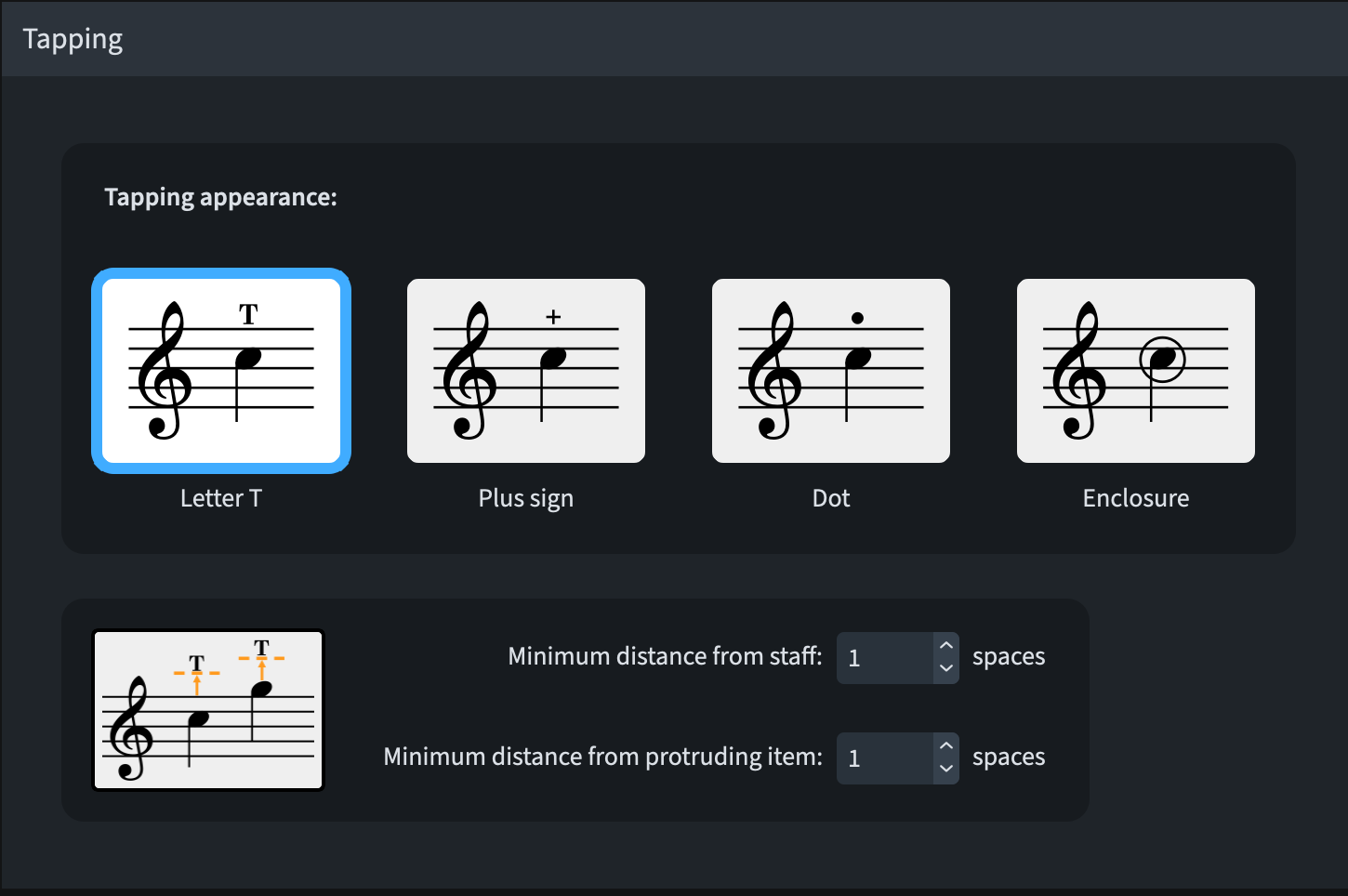
To respect European conventions, fret-hand tapping in tablature is now indicated by a square enclosure. To enable this, go to Engraving Options ▶︎ Guitar Techniques, look for the Tapping section and choose Enclosure for the Tapping appearance option.
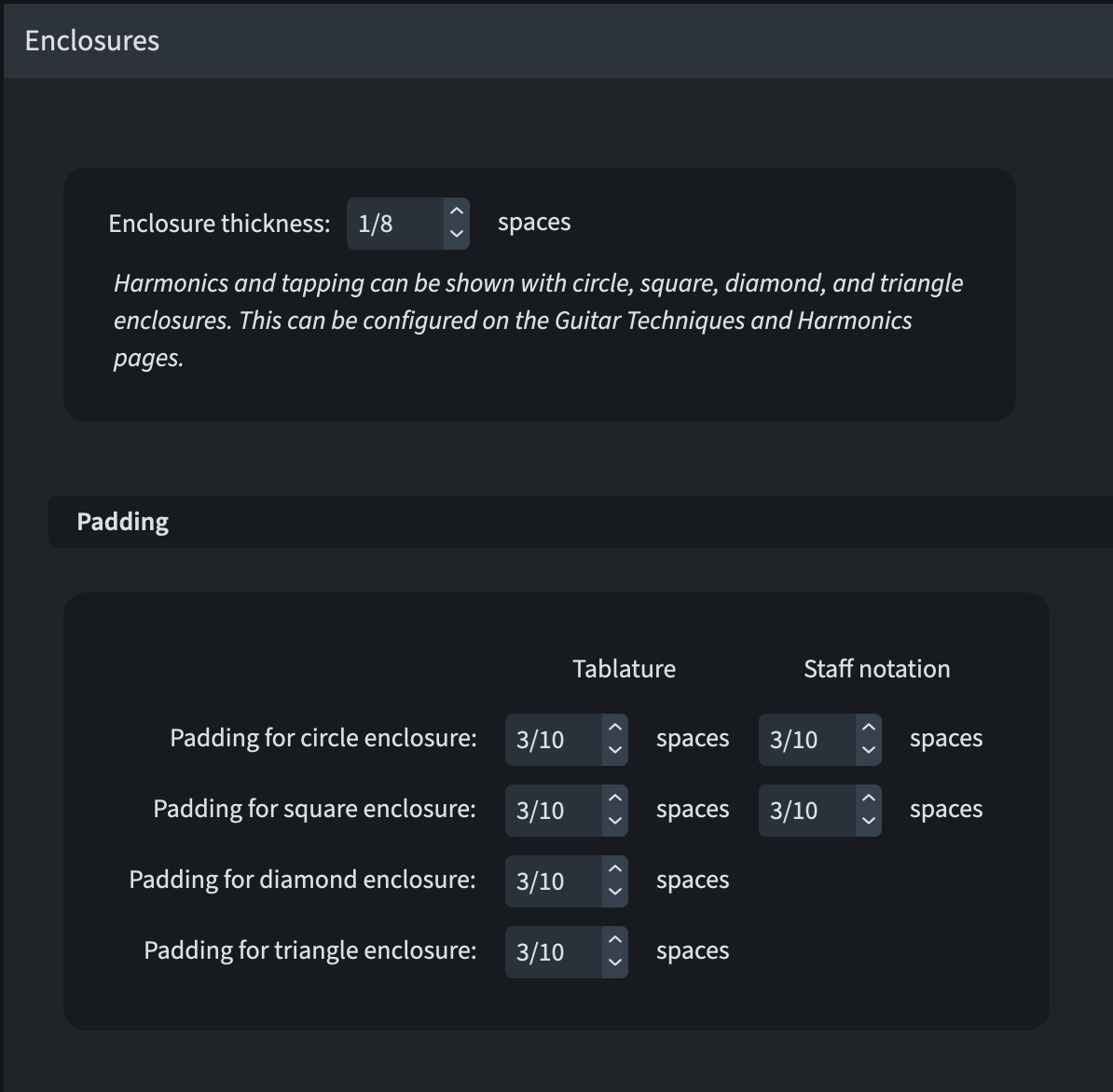
Management of the thickness of the line used for the enclosure and their padding can be found in the new Enclosures section in Engraving Options ▶︎ Notes.
Vibrato bar scoops/dips
To use the curved arrow style common in European conventions, set the Scoop appearance in the Vibrato Bar section of the Guitar Techniques page under Engraving Options to Curved.
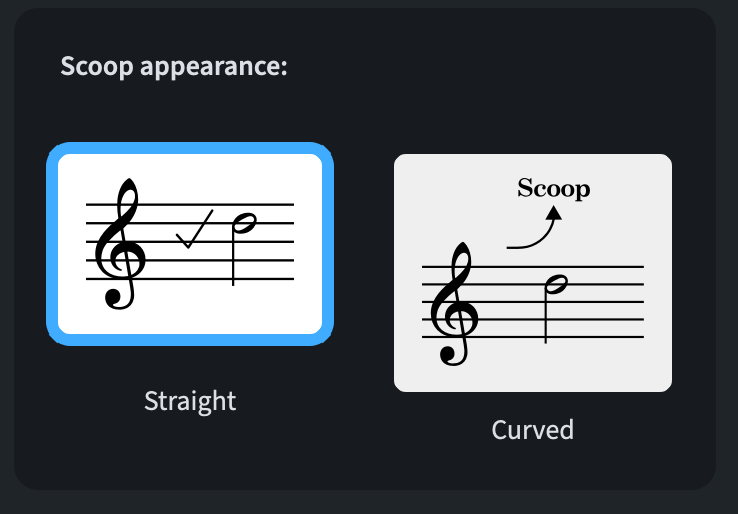
This will position a curved arrow above the note.
Tied notes
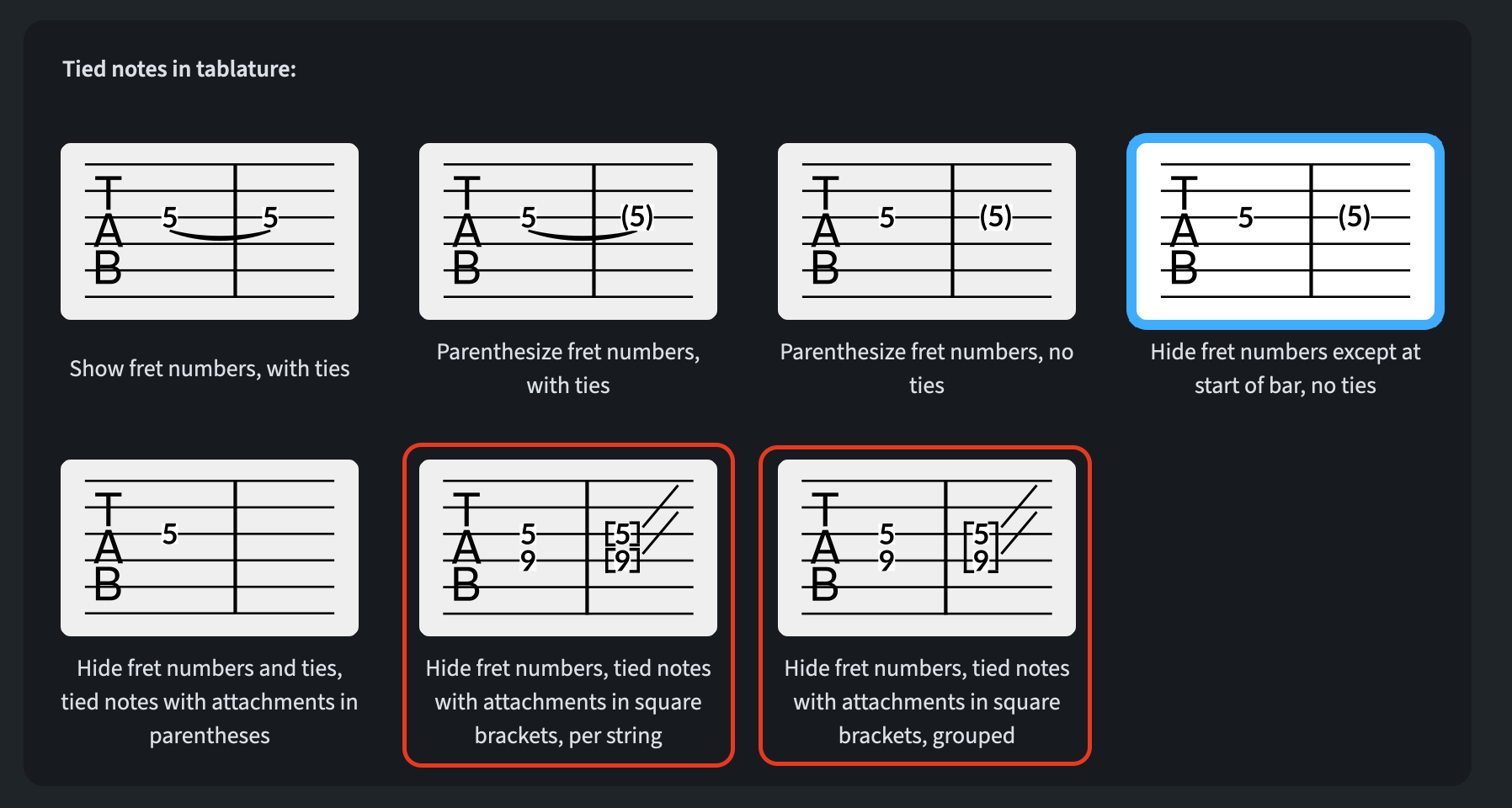
Similarly, to show tied-to notes in square brackets, go to Engraving Options ▶︎ Tablature ▶︎ Ties and set the Tied notes in tablature option to either Hide fret numbers, tied notes with attachments in square brackets, per string or
Hide fret numbers, tied notes with attachments in square brackets, grouped.
Stems
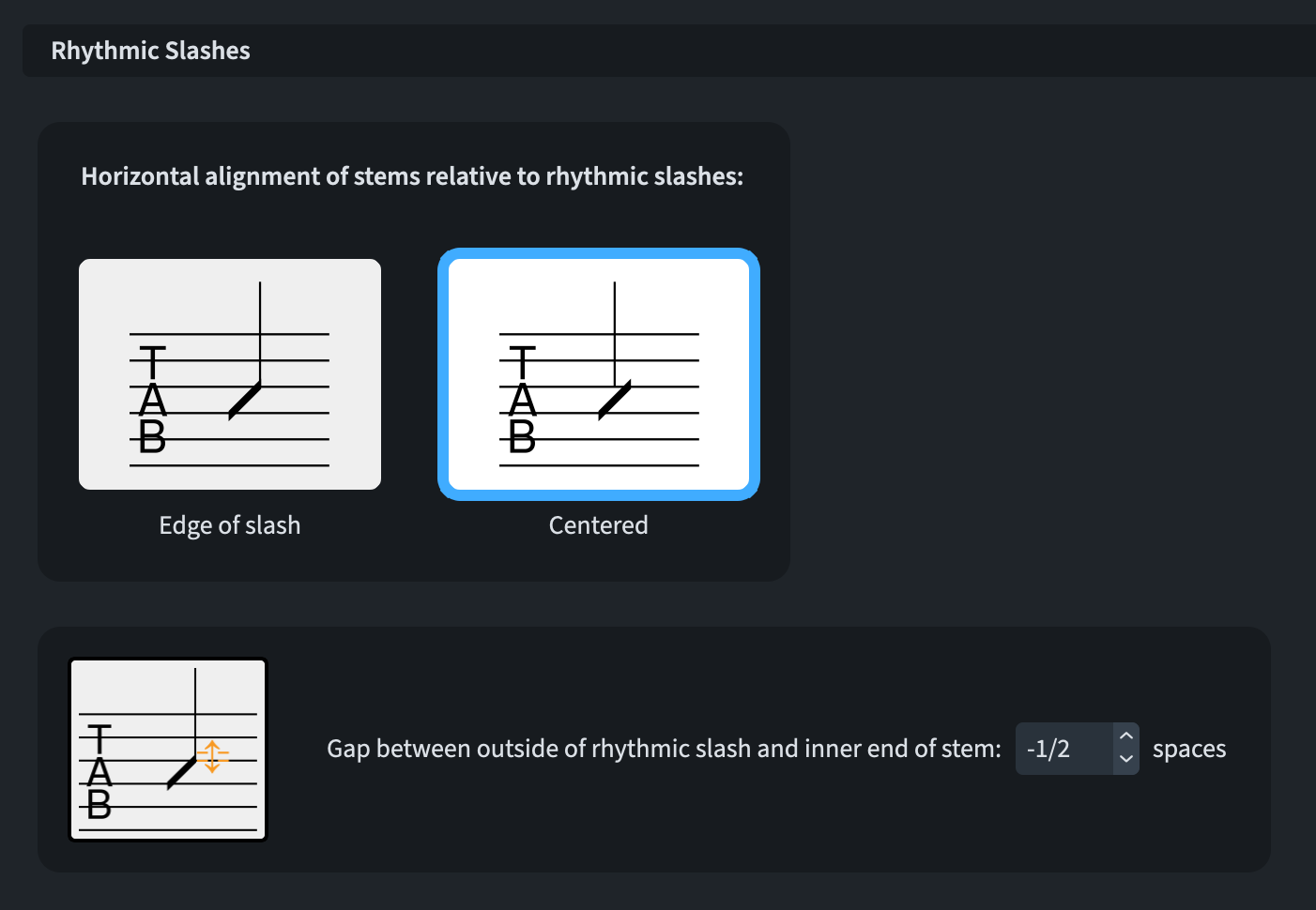
There are two main preferences for the horizontal positioning of stems on rhythmic slashes: at the edge of the slash itself or centred above/below it. To allow you to resolve this quandary, the new option Horizontal alignment of stems relative to rhythmic slashes has been added to Engraving Options ▶︎ Tablature ▶︎ Stems ▶︎ Rhythmic Slashes. You also get an option to manage the gap between the outside of rhythmic slash and the inner end of the stem:
Enclosures on tablature
When fret numbers are surrounded by enclosures for harmonics and left- and right-hand tapping, these enclosures now overprint the strings. Furthermore, rectangular enclosures are always at least as wide as they are tall so they’re usually square unless the fret number is particularly wide.
Bottom line
That’s it for today! Come back next time for the continuation of this series covering all novelties introduced in Dorico 6.2.x.
If you enjoyed this post, please leave a like, subscribe to get notified of upcoming articles, and don’t forget to do the same for Anthony’s video and for the Dorico YouTube channel.
Should you be interested in my other activities, please visit my website and consider joining my mailing list, where you will be able to follow my journey through music notation and independent music publishing.
Thank you for your time, and see you here in the next episode.

