
A review of the improvements brought by Dorico 6.0.20
This article covers the improvements introduced by the second and third patch updates to the Dorico 6 cycle, 6.0.20 and 6.0.22, released and announced respectively on July 2 and on July 10, 2025. I will take care of updating existing articles in the broader Dorico 6 series to make sure nothing gets abandoned alongside our path.
Proofreading
A massive update has come to this feature, reacting to the energetic requests of the user base. It is now possible to mark issues in the Proofreading Panel as ‘ignored’, preventing them from temporarily appearing in the list. Hovering with the cursor over an issue makes a little eye-shaped icon appear in the bottom-right corner. Tapping on it will make it disappear.
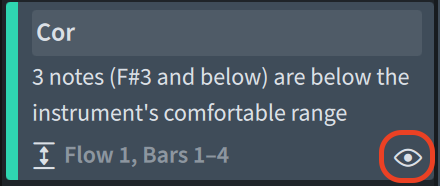
If, like me, you prefer to see what issues you have ignored instead of having them just gone, you can activate the Show ignored checkbox at the top of the list. This will make ignored issues appear again in the list but in a dimmed colour. Tapping the eye again will ‘un-ignore’ a previously ignored issue. Tapping the Clear button to the right of the Show ignored checkbox will un-ignore all ignored issues.

A clarification is needed here. When you mark an issue as ignored, you are actually ignoring the combination of the location1 and the type of the reported issue. Ignoring an issue will not prevent issues of other types from being reported at that same location, but it will prevent another issue of the same type from being reported there. Large-scale changes to the work will potentially make previously ignored issues resurface, while local edits may see an issue not being reported because of the issue’s type having already been ignored in there.
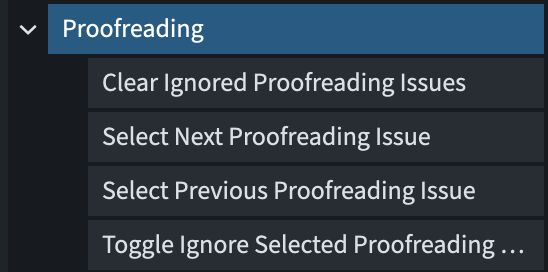
New key commands have been added to Preferences ▶︎ Key commands ▶︎ Proofreading to let you interact with the panel using the keyboard:
Other improvements
Barlines
A new Show wings property has been added for repeat barlines. This allows you to override the wing display Engraving Option on a per-barline basis.
Bar numbers
Bar number ranges below multi-bar rests are positioned below the staff by default, but this conflicts with showing them at the same position as bar numbers on every bar, should one want to do so.
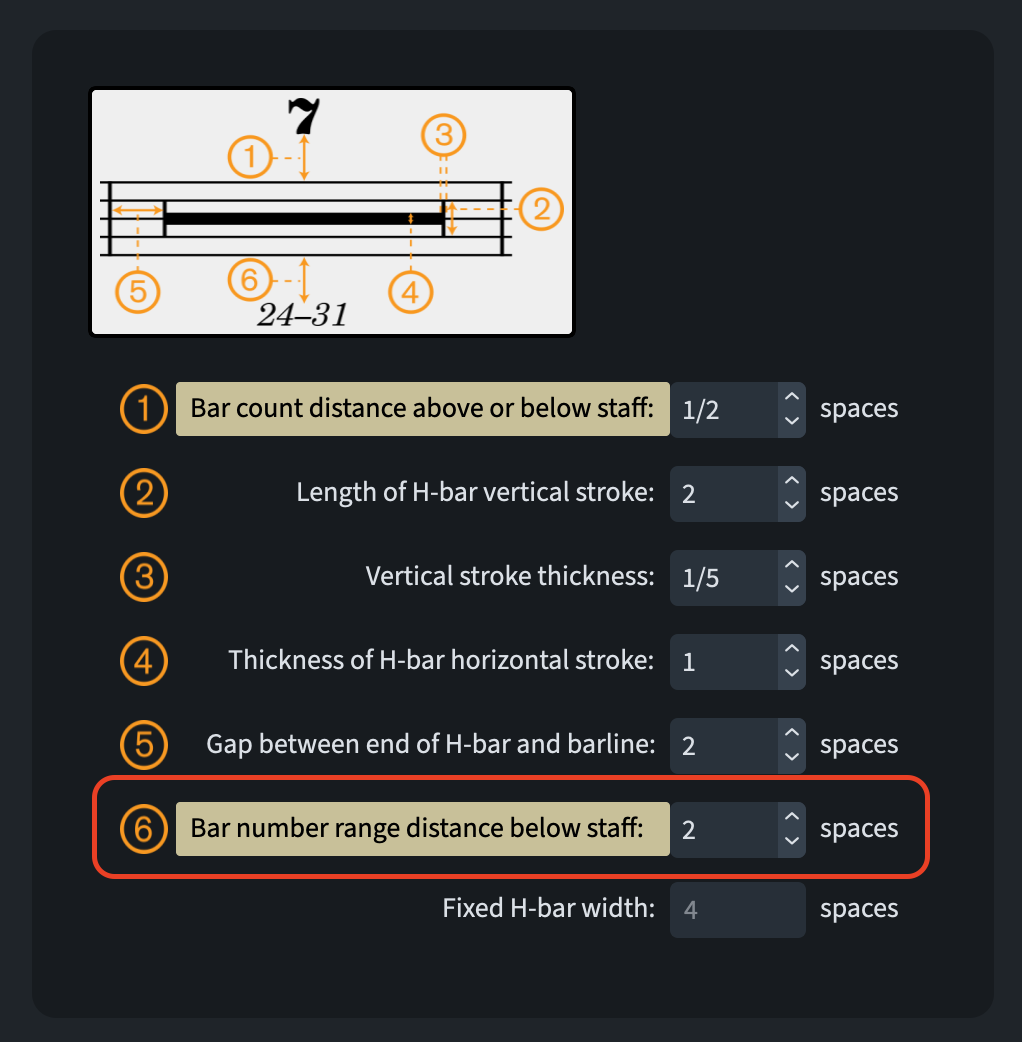
A new option, Distance for bar number range below staff, has been added to the Multi-bar Rests section of the Rests page in Engraving Options. This option can be set to Layout Options, allowing Dorico to position bar number ranges using the Minimum distance from staff option found in Layout Options ▶︎ Bar Numbers.
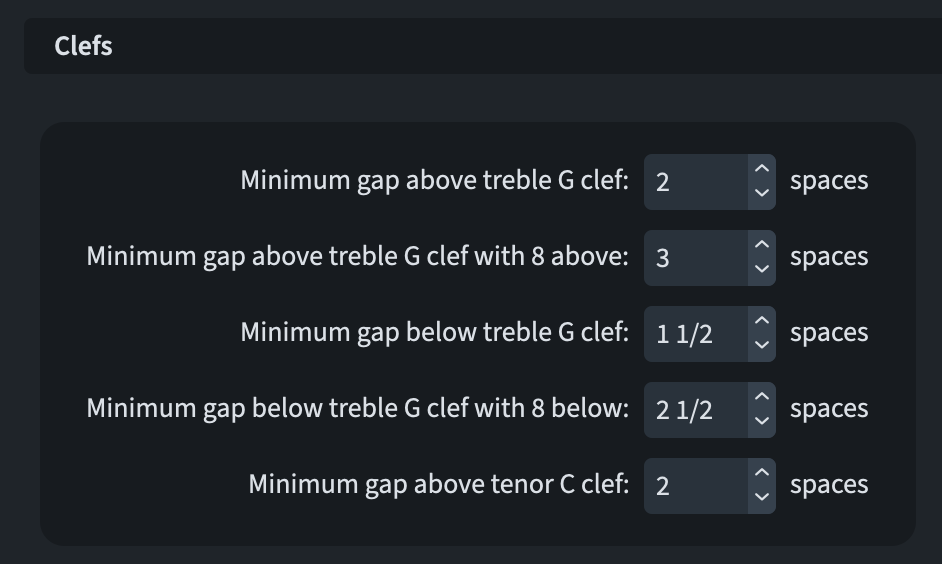
The Bar Numbers page of Engraving Options now includes a new option for the Clefs section. This option creates a minimum gap above the treble G clef with 8 above. It also applies to a treble G clef with 15 above. Furthermore, the existing option for a Minimum gap below the treble G clef with 8 below now applies to a treble clef with 15 below.
Chord diagrams
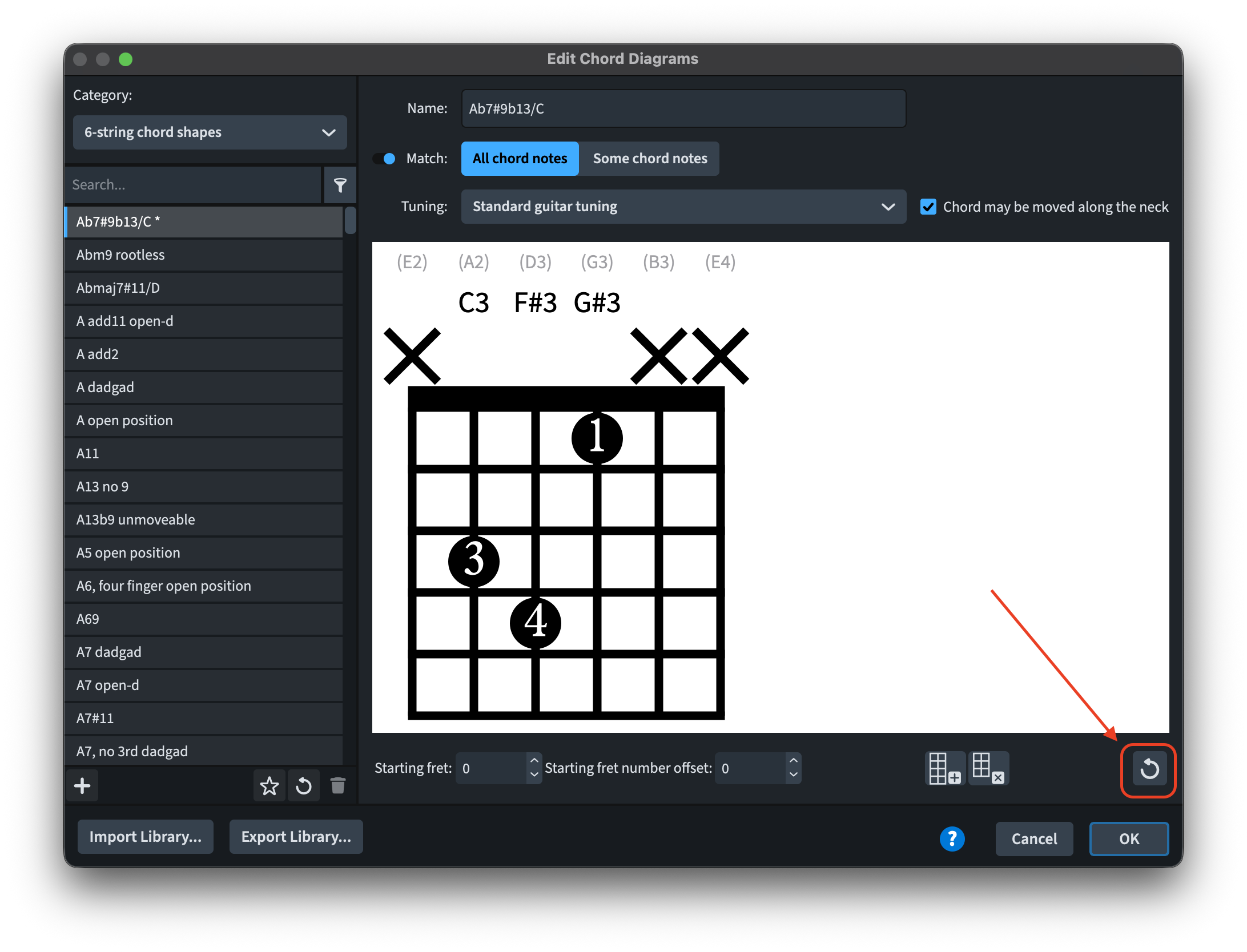
Dorico’s ukulele chord diagrams now match the Ukulele Society of Great Britain’s recommendations. Editing factory chord shapes, then, replaces them with edited versions, with a revert option available in the action bar in Library ▶︎ Chord Diagrams.
Chord symbols
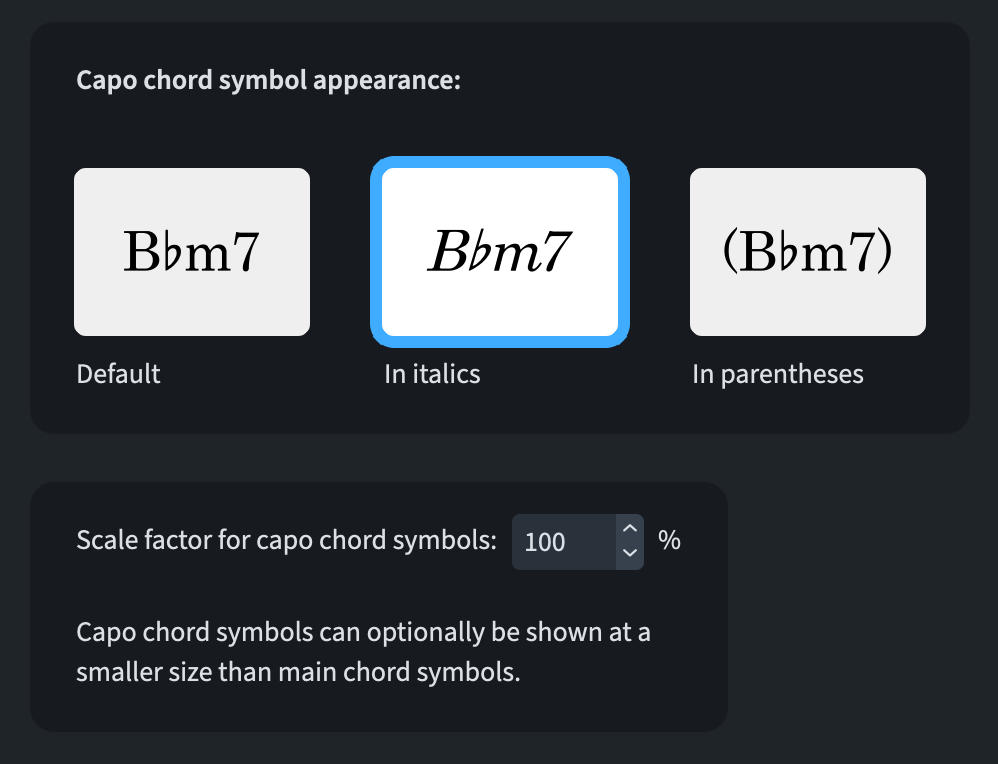
In the Capo section of the Chord Symbols page under Engraving Options, a new option for the Scale factor of capo chord symbols (n%) has been added. This allows you to specify that capo chord symbols should be smaller than the corresponding main chord symbols. Additionally, you can now choose whether capo chord symbols should be italicised or parenthesised.
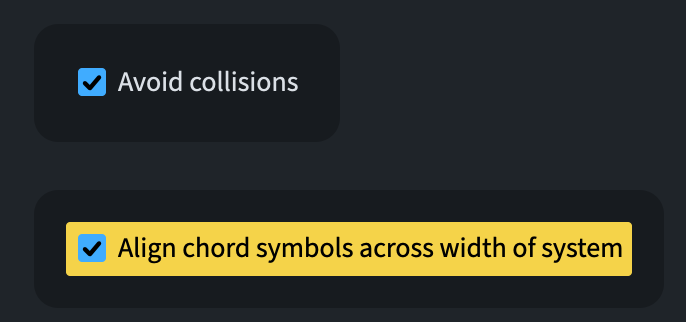
Collision avoidance for chord symbols and diagrams was revamped due to the addition of multiple lines of chord symbols and extender lines. Chord symbols and their extenders are now treated as a single unit, unlike previously, when extender lines could detach from their chord symbols. When Align chord symbols across width of system in Engraving Options ▶︎ Chord symbols ▶︎ Position is activated, Dorico aligns all chord symbol lines across the system’s width. Otherwise, it performs collision avoidance for chord symbols at the same rhythmic position and any other affected by their extenders.
A new Avoid collisions option has been added to the Position section of the Chord Symbols page in Engraving Options. This lets you decide if chord symbols should avoid collisions with the staff and objects protruding from it by default. You can override this for individual chord symbols using the corresponding Avoid collisions property.
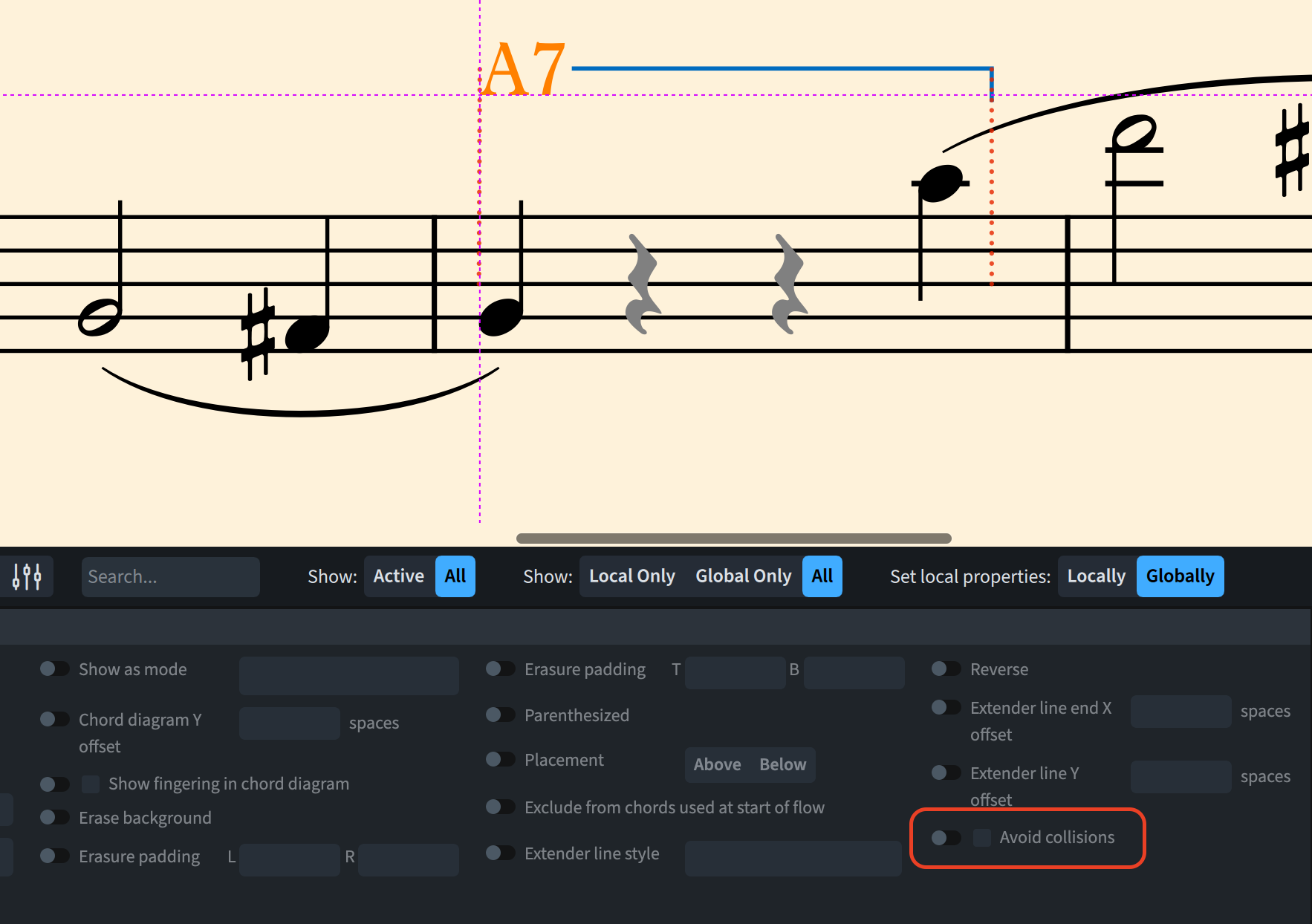
In Engrave mode, the crosshair position for a selected chord symbol has been improved. It is now correctly aligned with the baseline of the lower chord symbol or the bottom of the chord diagram if one’s shown. This makes checking chord symbol alignment across the system’s width easier.
Extender lines are now vertically placed. They appear only once when main and transposed chord symbols are shown, on the closest chord symbol to the staff. Similarly, in a chord diagram, the extender line is centred vertically on the chord symbol immediately outside it.
Kerning edits can now be reset. In Library ▶ Chord Symbol Kerning Pairs, the Reset and Delete buttons display a warning before executing the intended actions.
Cues
Ornaments like jazz articulations and glissando lines are either included or excluded from cues based on the engraving option and property setting for ornament inclusion.
Filters
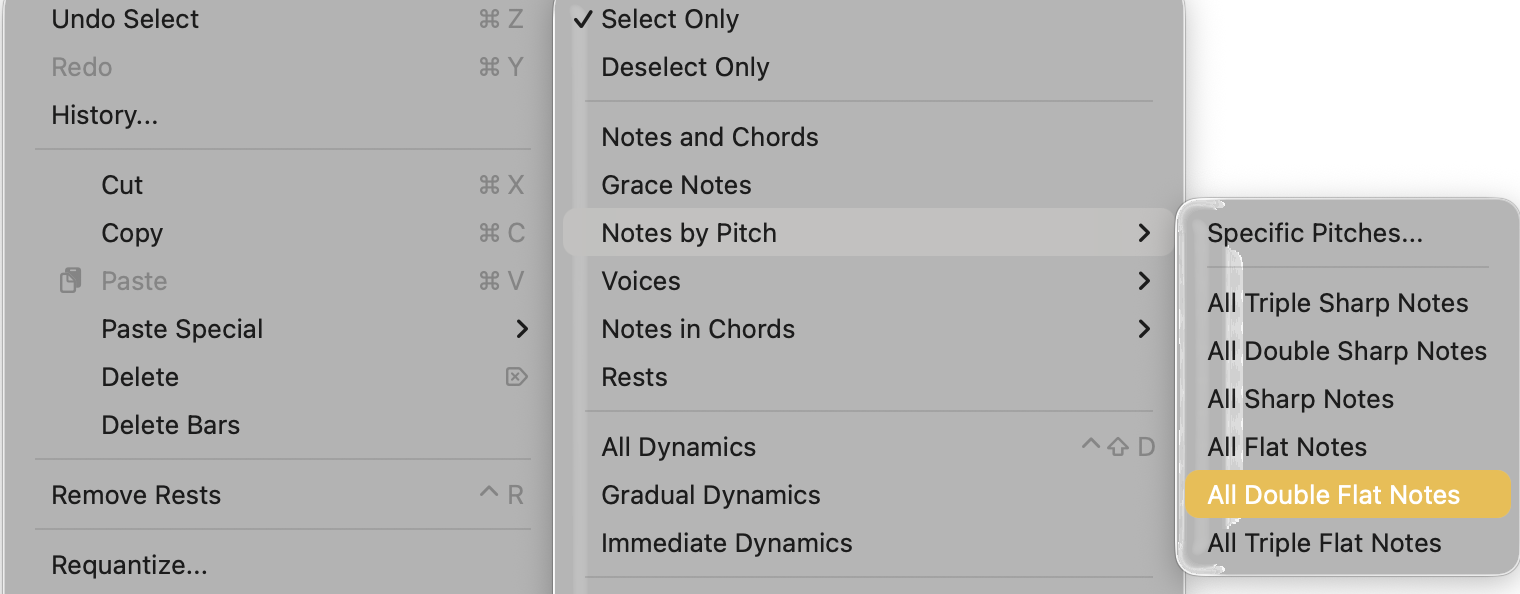
A new Edit ▶ Filter ▶ Notes by Pitch submenu has been added. This replaces the existing Notes by Pitch dialogue and is now called Specific Pitches. It also includes additional commands for filtering notes expressed as triple sharps, double sharps, double flats and triple flats, alongside the existing filters for all sharp and flat notes.
Fonts
Splentino version 1.1 and Nepomuk version 2.6 now support tabular figures, which can be enabled via OpenType features. These updates also include updated font families.
Lyrics
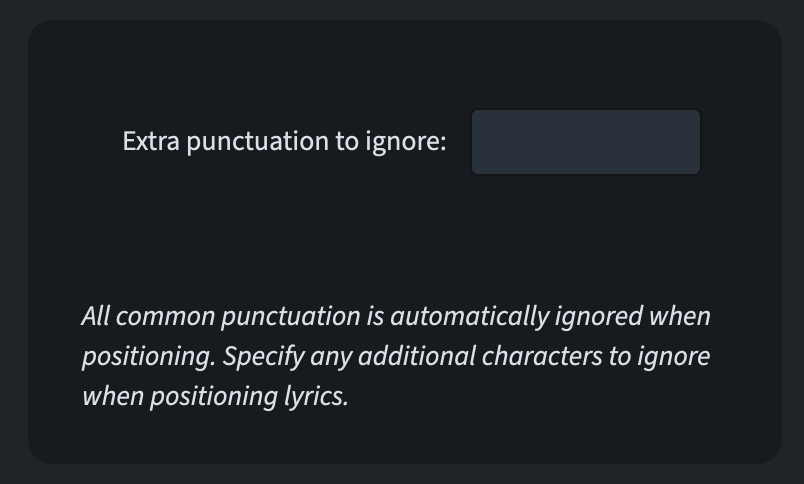
In Engraving Options, the Lyrics page now includes a new option for custom hanging punctuation. This allows you to specify extra characters that Dorico should treat as punctuation when aligning lyrics.
Note input
Dorico now pastes across multiple staves when the caret spans them. Previously, material was only pasted on the top staff.
Pedal lines
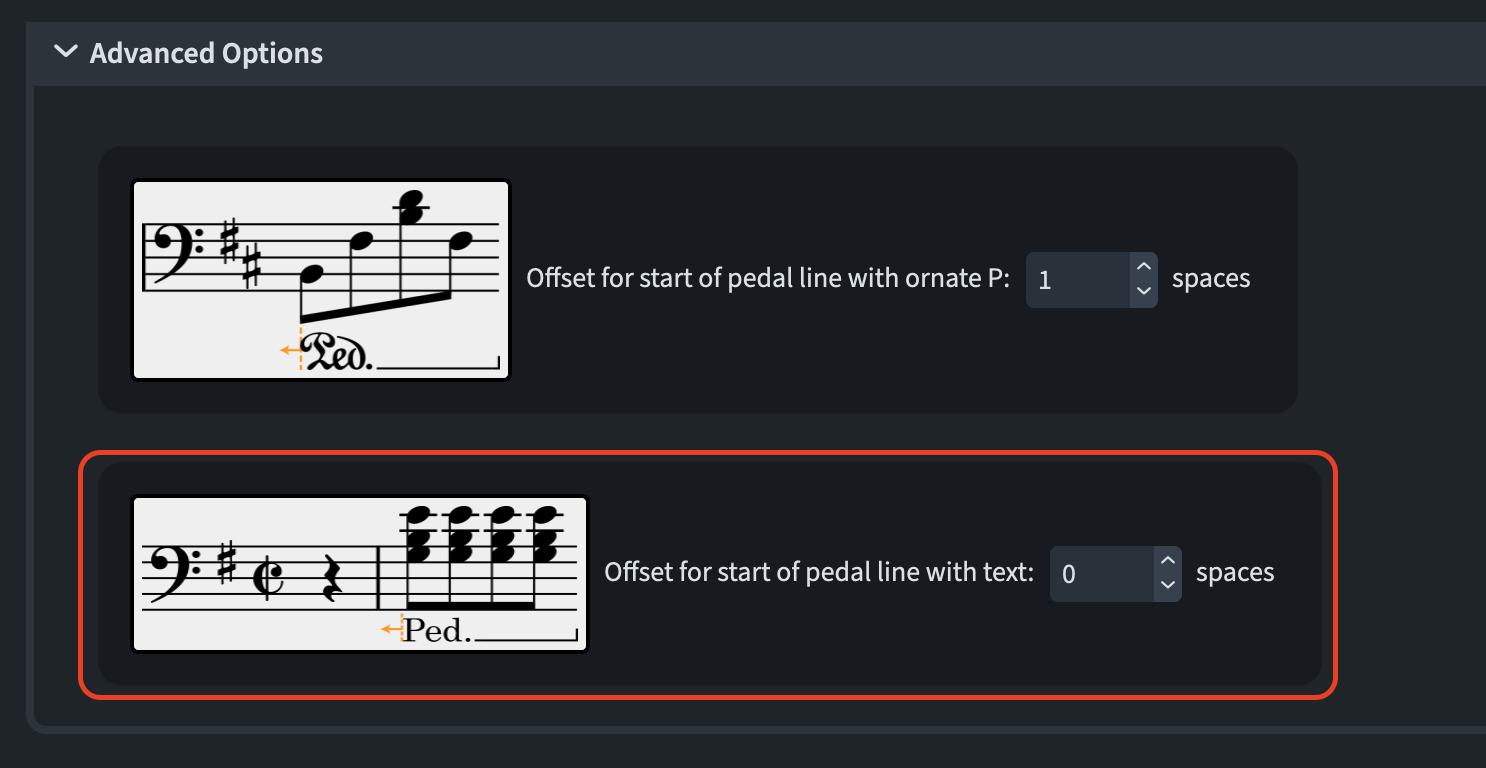
A new offset option has been added to the Advanced Options section of the Horizontal Position section on the Pedal Lines page of Engraving Options. This allows you to specify a horizontal offset for the pedal text at the start of a pedal line. This lets you fine-tune the vertical stroke of the initial P, similar to the existing option for offsetting the ornate P.
Playback
Dorico recalculates playback information for affected instruments after each edit that alters the musical flow. This usually takes only a fraction of a second but can be slightly longer for long flows with many playback technique changes or complex expression maps with numerous switches. This may make Dorico feel less responsive during input and editing in such projects. To address this, Dorico now delays playback information recalculation until the application is idle, minimising its impact on responsiveness.
Project templates
This barbershop quartet template has been improved to better align with the notation guidelines published by the Barbershop Harmony Society (BHS), the leading organisation for promoting barbershop singing in the US. The template now uses the standard two-staff short score rather than an open score on four staves, and closely follows recommendations for bar number frequency font choices and other details.
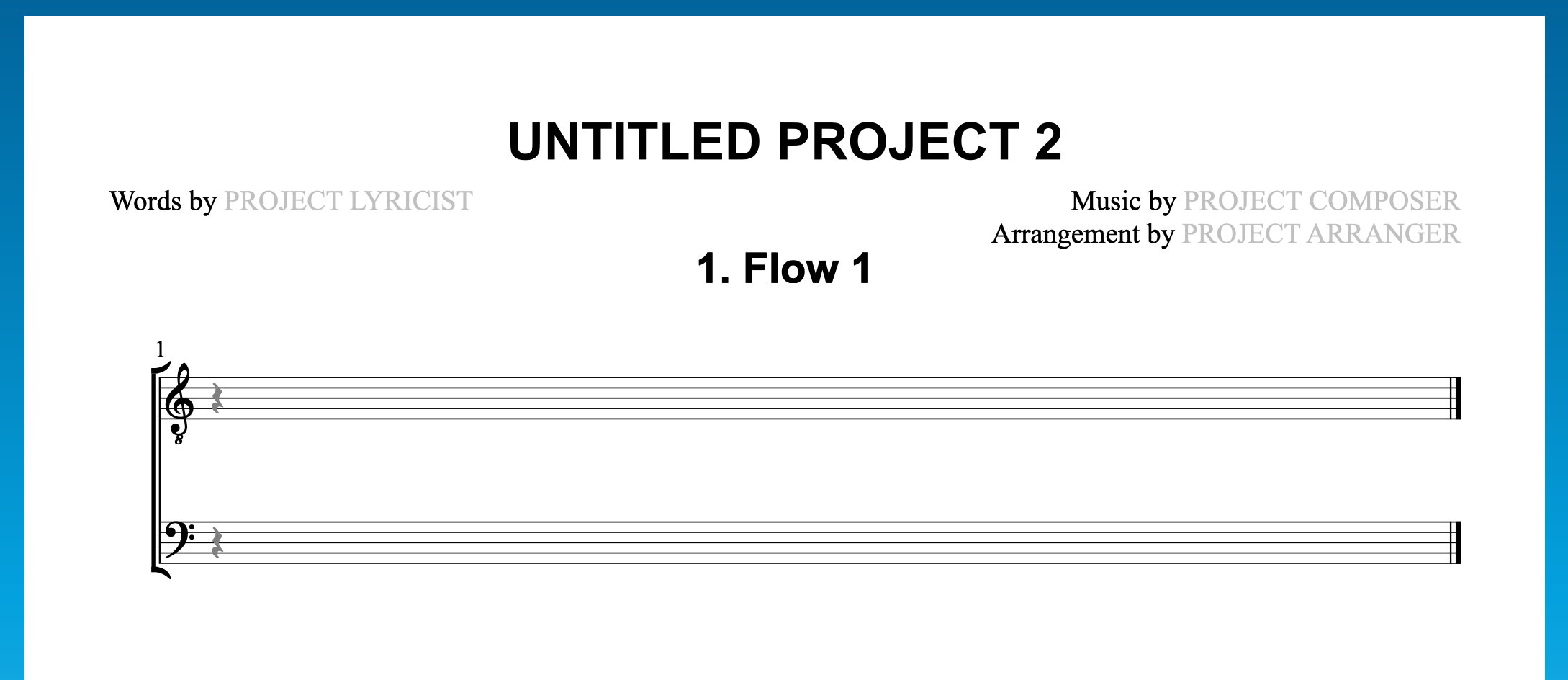
All templates in the Choir category in the Hub now generate projects with only a full score layout and no part layouts, as these are usually unnecessary. To create part layouts for a project, use Setup ▶ Create Default Part Layouts.
Bottom line
That’s it for today! Come back soon for the review of what introduced in the next point release: 6.1!
If you enjoyed this post, please leave a like, subscribe to get notified of upcoming articles, and don’t forget to do the same for Anthony’s video and for the Dorico YouTube channel.
Should you be interested in my other activities, please visit my website and consider joining my mailing list, where you will be able to follow my journey through music notation and independent music publishing.
Thank you for your time, and see you here in the next episode.
- A combination of flow, instrument, and rhythmic position (or range of rhythmic positions). ↩

